
Abstract:
Microsoft is further tightening Windows system support for ReFS file system removable storage devices. According to Microsoft's latest security policy, starting with the Windows security update in January 2027, Windows will block the mounting of U disks and external hard disks using the ReFS file system by default. If users still want to continue using such devices, they need to manually adjust relevant settings through Group Policy or the registry.
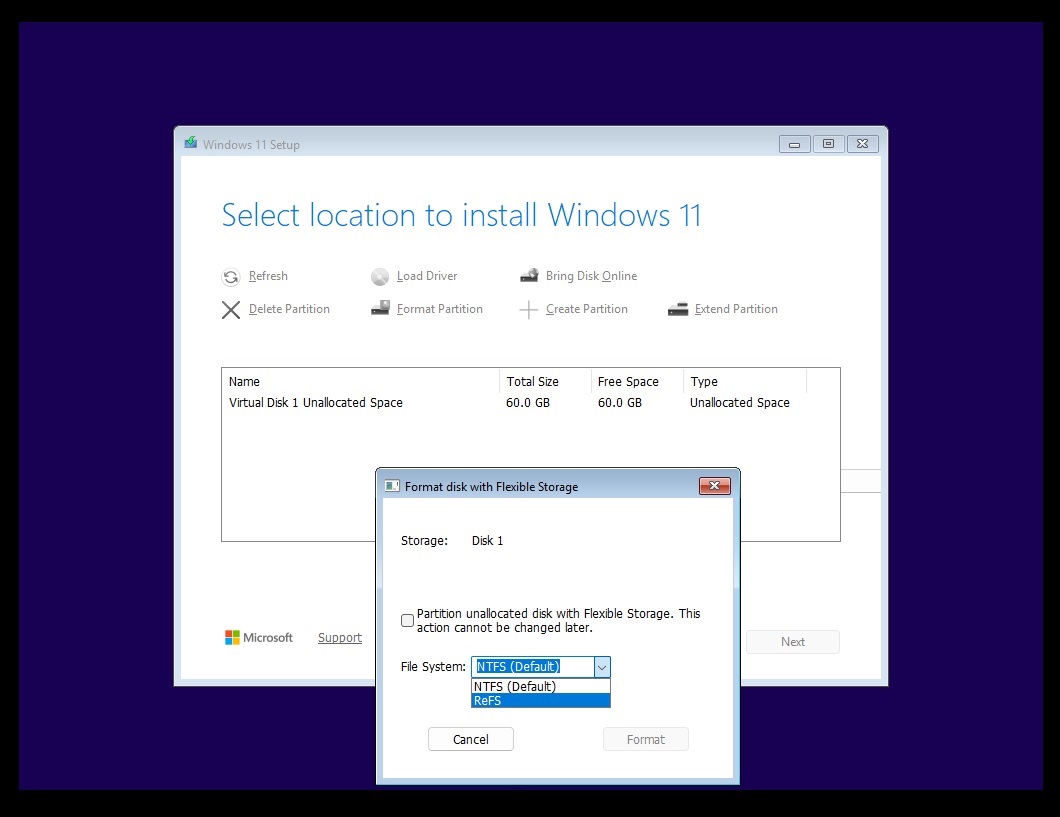
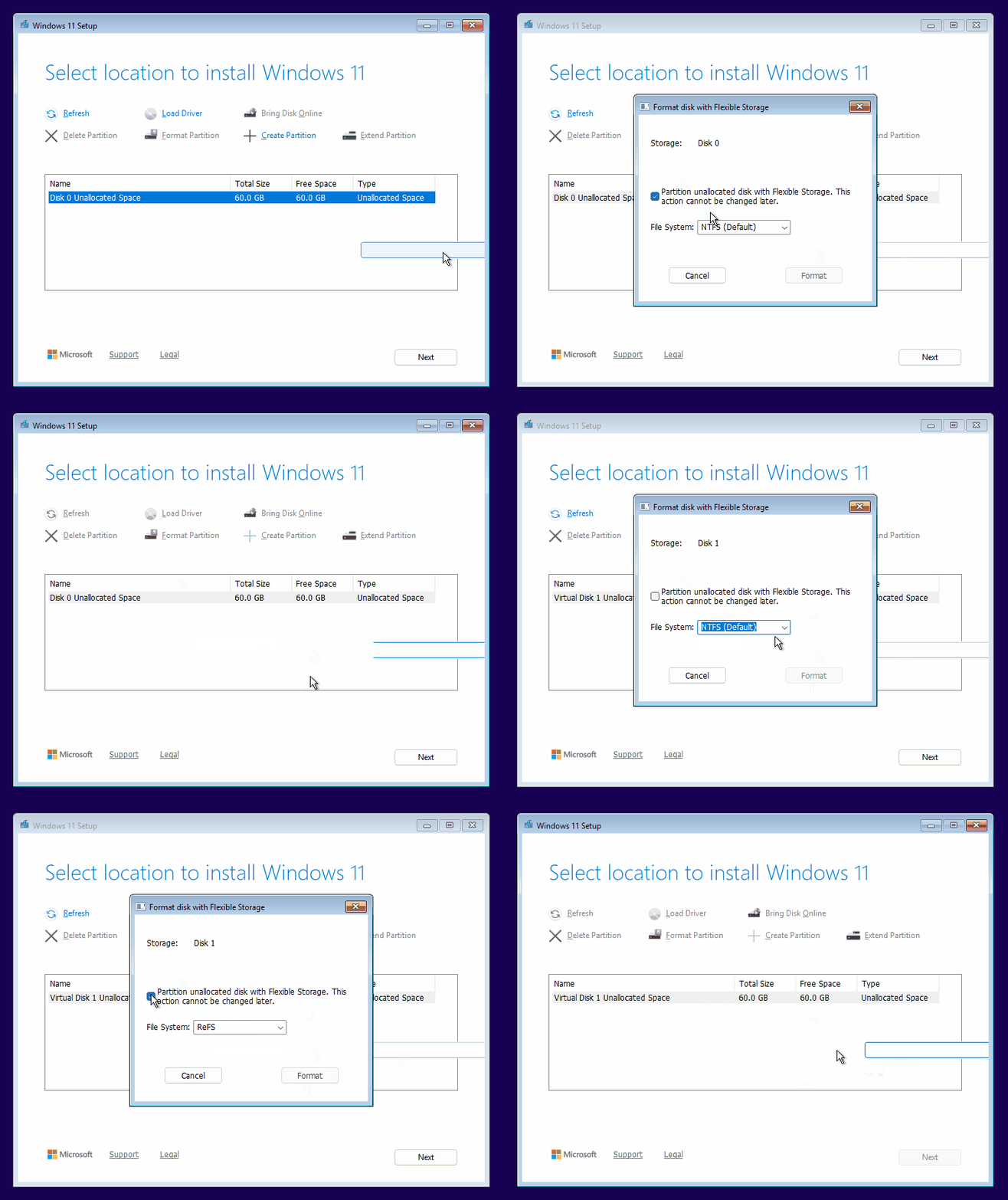
This decision is quite concerning. In recent years, Microsoft has been expanding the application scope of ReFS in Windows systems, not only using it for developer-only Dev Drive, but also testing the ability of Windows installers to directly select ReFS as the disk partition format. However, just as the outside world is expecting ReFS to gradually assume more of NTFS's existing responsibilities, Microsoft has made it clear that it does not support the use of ReFS on removable storage devices and is preparing to enforce this restriction through system updates.
ReFS is the abbreviation of Resilient File System, which is usually translated into Chinese as "elastic file system" or "recovery file system". It was developed by Microsoft to improve data integrity, system reliability, and processing performance in large-scale storage environments. Compared with NTFS, which was born in the 1990s, ReFS has obvious advantages in some storage scenarios, and is especially suitable for virtualization, large-capacity data management, and workloads that need to reduce the risk of data corruption.
Microsoft did not suddenly decide to ban ReFS mobile hard drives this time, but further transformed the previously existing technical restrictions into a default system security policy. Microsoft clearly states in its support documentation that mounting ReFS volumes via removable media is not a supported configuration. The purpose of this adjustment is to help administrators identify these unsupported configurations and, if necessary, prevent related volumes from being mounted.
According to the implementation plan announced by Microsoft, the entire process is divided into two stages.
The first phase has been launched with the Windows security update released on October 13, 2026. At this stage, the system enables auditing by default. When Windows detects the presence of a ReFS volume on removable media, it logs a corresponding event but does not prevent the volume from being mounted by default. Administrators can check which devices are still using this configuration through system logs and adjust related workflows in advance.
Phase 2 is expected to launch with the January 2027 Windows security update. At that time, both auditing and blocking features will be enabled by default. External ReFS volumes that meet the relevant conditions will not be mounted normally unless the administrator explicitly modifies the corresponding group policy or registry settings.
This means that users who have formatted USB flash drives, mobile hard drives and other devices into ReFS need to pay attention to subsequent system updates in advance. If the device relies on ReFS to save or access data, Windows may no longer provide users with normal access to these volumes after the default policy takes effect.
However, Microsoft emphasized that this restriction applies to the file system mounting process, rather than directly deleting files on the disk. In other words, the system blocking the mount does not mean that the data will be automatically cleared, but users may not be able to access the data normally through Windows. Therefore, Microsoft recommends that administrators ensure that relevant data has been migrated to a supported storage configuration before enabling force blocking.
For ordinary users, the most important thing to note is: do not mistake "disk inaccessible" for "file has been deleted", but you cannot ignore the risk. If the device uses ReFS format, it is best to back up important files to other storage media before system updates impose mandatory restrictions, and consider reformatting the mobile hard drive to a file system more suitable for mobile storage purposes.
Microsoft also provides corresponding management options that allow organizations to control this policy according to their own needs. The relevant setting is called RefsRemovableDeviceMountPolicy and can be configured through Group Policy or the registry.
In the registry, the relevant policy value is located under the HKEY_LOCAL_MACHINESYSTEMCurrentControlSetControlFileSystem path and is named RefsRemovableDeviceMountPolicy. Its values correspond to three modes: shutdown policy, audit only, and mount prevention. When centrally managed through Group Policy, the policy value is located under the HKEY_LOCAL_MACHINESYSTEMCurrentControlSetPolicies path. If set both ways, Group Policy takes precedence over local registry settings. After modifying the configuration, the device needs to be restarted for the new settings to take effect.
It should be noted that these settings are primarily intended for users who understand system administration and storage configuration. For ordinary users, manually modifying system policies is not the safest first choice. Especially in enterprise environments, if there are applications or workflows that rely on external ReFS volumes, administrators should conduct compatibility testing before deciding whether to adjust the default limits.
What is even more noteworthy is that this decision is in sharp contrast to Microsoft's active promotion of ReFS in recent years.
Microsoft has long used NTFS as the mainstream file system for Windows client systems. NTFS supports Windows system startup, extensive file management functions, and various traditional applications, and its compatibility and ecological maturity are quite high. Although ReFS is more advanced in some technical indicators, it does not have all the functions of NTFS, so it cannot yet be simply regarded as a comprehensive replacement for NTFS.
One of the most prominent advantages of ReFS is data integrity protection. It can detect metadata corruption via checksums and optionally perform integrity verification of file data. When used in conjunction with storage technologies such as Microsoft Storage Spaces, ReFS can also repair some detected data corruption problems if the system has other copies of the data available. The system's built-in data integrity scanning mechanism can also regularly check storage volumes to help detect potential errors.
However, ReFS does not mean that all data corruption can be automatically repaired. If no other copy of the corrupted data is available, the system may still be unable to recover the original content. Therefore, ReFS provides a stronger data integrity protection mechanism, rather than a universal solution that can replace backup.
In terms of performance, ReFS supports functions such as block cloning. Traditional file copying usually requires re-reading and writing the corresponding data, while block cloning allows multiple files to share existing data blocks within the same ReFS volume that meets the conditions. When one of the files is modified, the system writes the changed parts separately, thereby reducing unnecessary data copying.
This mechanism is particularly useful in virtualized environments. For example, when processing virtual machine disk files, block cloning can speed up certain copy operations and checkpoint merging tasks, reducing the additional burden on the storage system. ReFS also supports features such as Sparse Effective Data Length (Sparse VDL), which can speed up the creation process of some virtual disk files.
Capacity is also an advantage of ReFS. Specifications published by Microsoft show that ReFS supports a single file and volume capacity limit of up to 35 petabytes, while the corresponding upper limit of NTFS is 256 terabytes. For ordinary personal computers, this capacity difference usually has no practical impact, but in enterprise-class storage, scientific research data, and large-scale virtualization environments, ReFS's scalability has greater significance.
Microsoft has already used ReFS for Windows 11’s Dev Drive feature. Dev Drive is a storage volume designed for developer workloads and is suitable for code repositories, project files and other development-related data. By optimizing storage operations for development scenarios, ReFS can help some development workflows achieve better performance.
In recent years, Microsoft has continued to add new features to ReFS. In 2024, Microsoft further improved related block cloning support, making ReFS more efficient in eligible file copy operations. The appearance of a test of the ReFS partition option in the Windows 11 installer once led to speculation that Microsoft may gradually expand the role of ReFS in client systems.
But judging from the current actual situation, Microsoft has not announced that ReFS will completely replace NTFS on a certain date. Just because Windows 11 is able to provide the ReFS option in some test environments does not mean that the file system has received the same full support as NTFS. Differences in system startup, removable storage compatibility, and traditional file system functions still limit the scope of application of ReFS.
Especially in the field of mobile storage, NTFS still has important advantages. Microsoft's official technical documentation lists removable media support and system boot as features that ReFS does not currently have. This shows that although ReFS has more advantages in some high-performance storage scenarios, its design goal is not to unconditionally replace NTFS, but to provide another option for specific workloads.
So, why does Microsoft expand the application scope of ReFS on the one hand, but prevents it from being used for USB flash drives and mobile hard drives on the other hand?
The key point is that the performance advantage of a file system does not equate to wider applicability. ReFS is optimized for data integrity, large-scale storage and virtualization workloads, but whether the file system can be used on a certain type of device also involves factors such as compatibility, system support range and long-term maintenance. Microsoft believes that ReFS configurations on removable media are not a supported usage, and therefore chooses to uniformly manage them through auditing and mandatory blocking mechanisms instead of continuing to allow such configurations to exist by default.
This also means that Microsoft's promotion of ReFS may focus more on specific scenarios, rather than letting it replace all uses of NTFS in the short term. For development or virtualization environments that require high reliability, large capacity, and high performance, ReFS may still have obvious value; for mobile storage devices that require frequent connections between different computers and emphasize compatibility, NTFS and other supported file systems are more suitable.
For ordinary Windows 11 users, there is currently no need to actively convert USB flash drives or mobile hard drives to this format because of the performance advantages of ReFS. On the contrary, if existing devices already use ReFS, it is recommended to check compatibility before the implementation of the mandatory blocking policy in January 2027 and complete important data backup in advance.
This adjustment also shows once again that Microsoft is trying to divide the Windows file system into more clear application scenarios: NTFS continues to undertake traditional desktop systems and general storage tasks, while ReFS gradually plays a role in the fields of development, virtualization and large-scale data management. As for whether ReFS will further enter the mainstream storage environment of ordinary Windows users in the future, it also depends on whether Microsoft can fill the gap in existing functions and compatibility.
Comments