
Abstract:
When using a Windows computer, pressing Ctrl+Alt+Delete (three-key combination) is an operation that almost every old user is familiar with. It can open system security options, allowing users to lock the computer, switch accounts, log out, change passwords, or enter the task manager. However, this key combination, which has been used for decades, has always made Microsoft co-founder Bill Gates regretful. He has publicly stated that if this feature could be redesigned, he would prefer to use only one button instead of pressing three buttons at the same time.
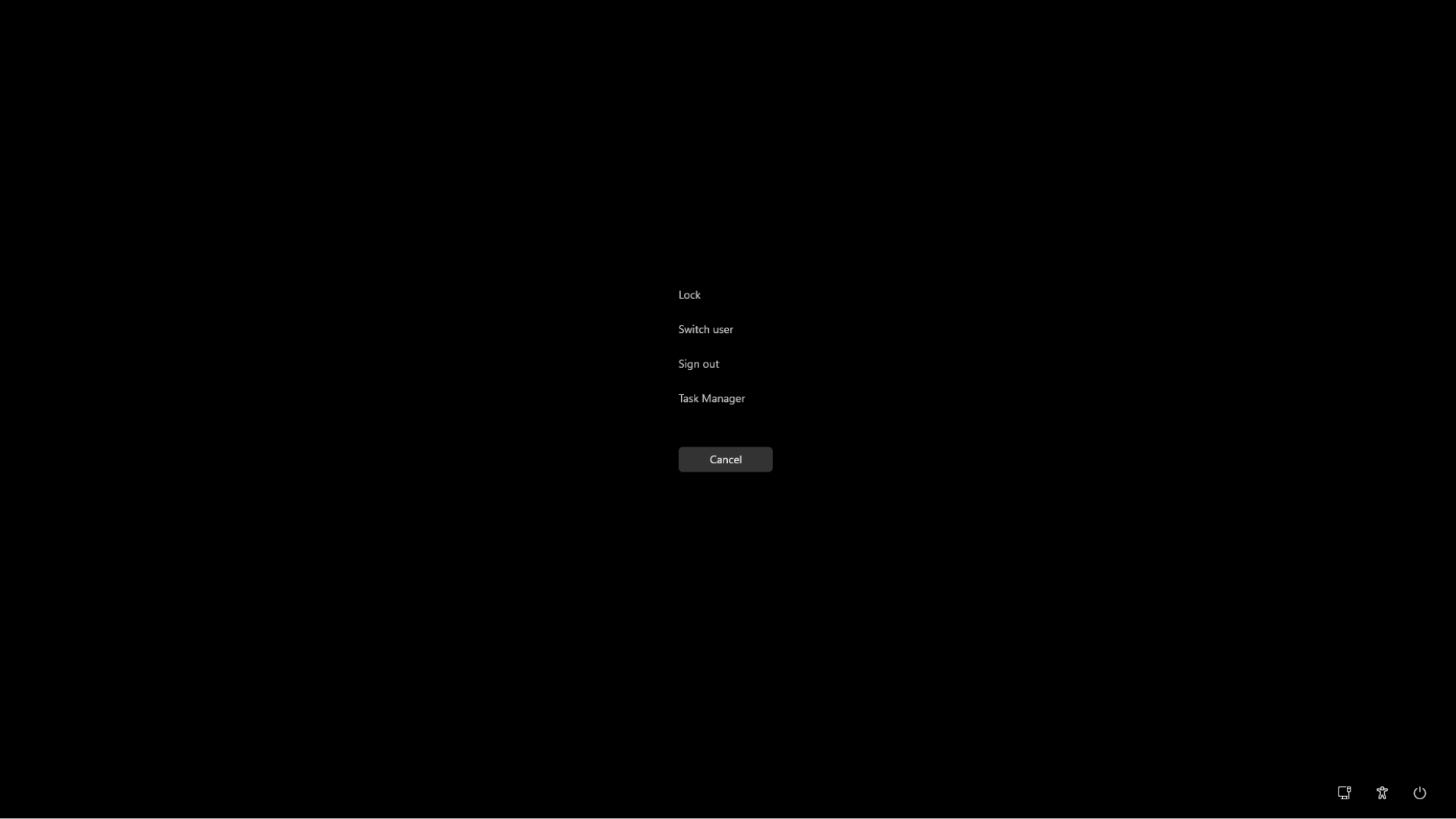
Today, Windows 11 still retains this design. This seemingly clumsy shortcut key has actually evolved from the restart function of early personal computers to the secure login mechanism of modern operating systems. It also reflects the trade-off between convenience and security in computer design.
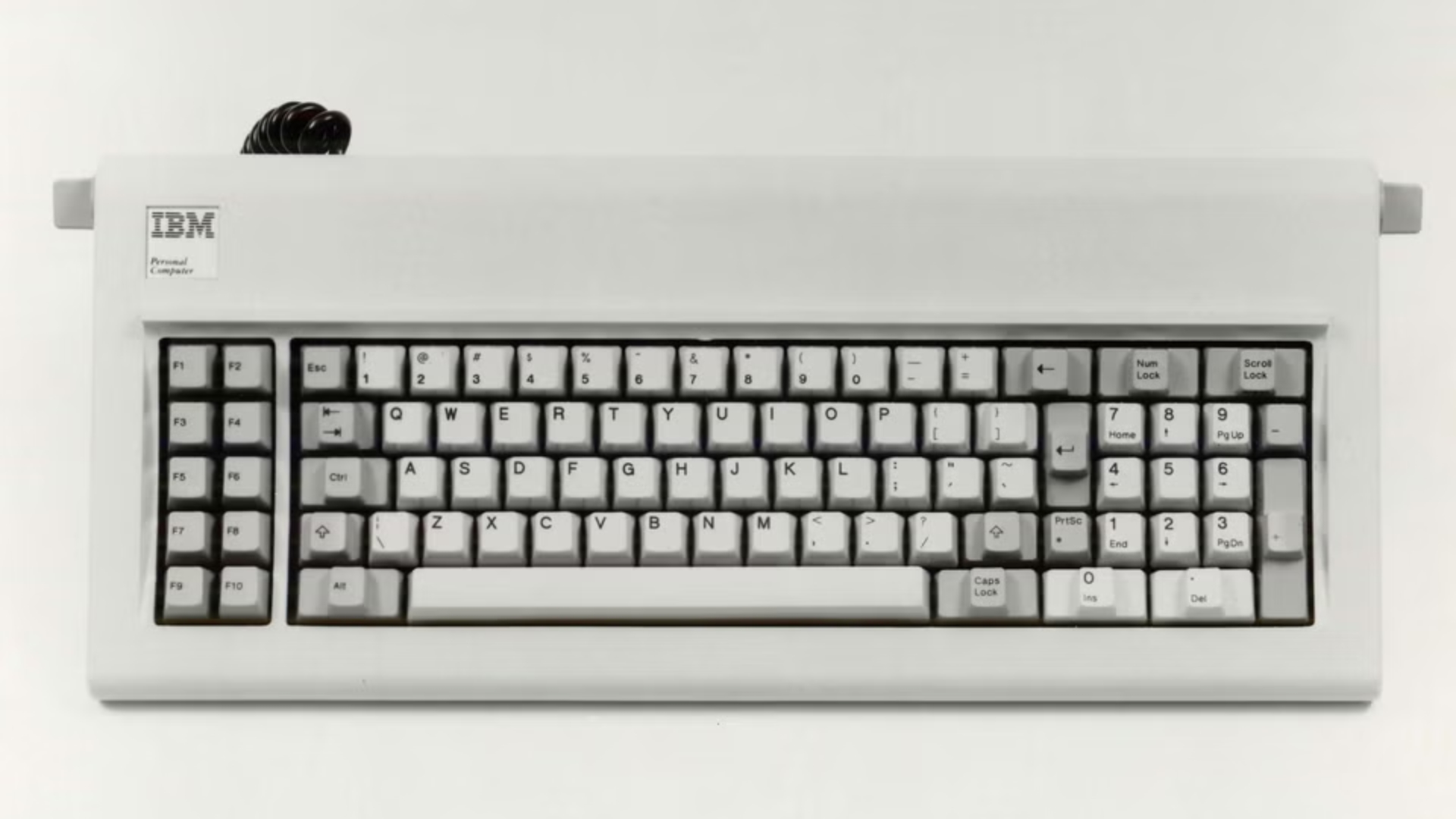
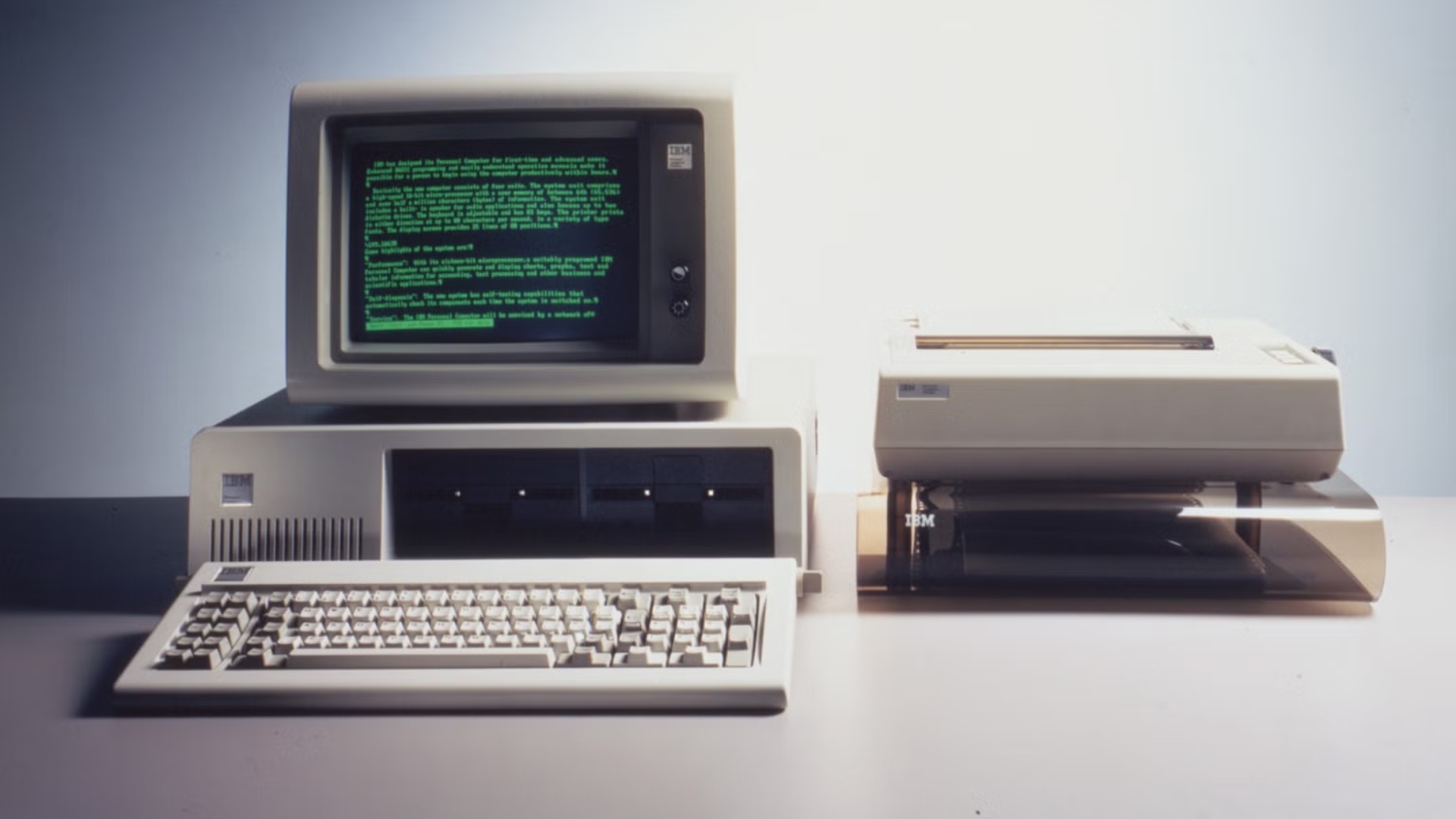
Ctrl+Alt+Delete was not originally invented by Microsoft, but came from IBM engineer David Bradley. In 1981, Bradley participated in the development of the original IBM personal computer and was responsible for writing the ROM BIOS, which is the first part of the underlying program that runs when the computer starts.
At that time, personal computers were not stable enough, and programs often jammed. In this case, users usually can only turn off the power and restart the computer. Every time you restart, you need to re-execute the power-on self-test program, which takes a long time and affects the developer's work efficiency.
In order to solve this problem, Bradley wrote a restart program that can be triggered by the keyboard, so that users can restart the computer directly without turning off the power. This feature was originally intended primarily for programmers and people writing technical documentation, and was not specifically designed for ordinary consumers.
Initially, Bradley considered using the Ctrl+Alt+Esc key combination, but later switched to Delete. One reason is that Ctrl and Alt are located on the left side of the keyboard, while Delete is located on the right numeric keypad, and users need both hands to complete the operation. This reduces the chance of accidentally triggering the restart function.
This design later became one of the most famous shortcut keys in the history of the IBM PC. In 2001, at an event commemorating the 20th anniversary of the birth of the IBM personal computer, Bradley said humorously when he was on the same stage with Gates: "I may have invented this key combination, but I think Bill made it famous."
Microsoft later gave this key combination a completely different purpose. In 1993, Windows NT 3.1 was officially launched. Unlike early Windows, which was mainly for individual users, Windows NT pays more attention to system stability, rights management and enterprise-level security.
At that time, Microsoft needed to design a secure login mechanism for Windows NT. The key requirement is that users must be able to confirm through a special operation that they are interacting with the real operating system login interface, rather than being deceived by a login window faked by an ordinary program.
If a common application could randomly display a window that looked exactly like the system login screen, it could trick users into entering their passwords and send those credentials to an attacker. Therefore, the Windows NT team wanted to find a special key combination that ordinary applications could not intercept or impersonate.
According to the memories of Microsoft engineer Larry Osterman, Jim Kelly, who was responsible for related security design, looked for a suitable key combination and finally chose Ctrl+Alt+Delete. Since this combination was already being used to restart the computer and was not occupied by other published applications, it was a suitable choice.
In Windows NT, pressing Ctrl+Alt+Delete will trigger the system's Security Attention Sequence (SAS). The system then displays a secure interface through a trusted login mechanism, where the user can authenticate by entering a password, PIN, or using a smart card.
This mechanism does not mean that as long as three keys are pressed, the computer will never be attacked. If malware has gained sufficiently high system privileges, it may still compromise system security. But within normal security boundaries, special key sequences can help users distinguish the real system login interface from the windows faked by ordinary programs.
Gates' regrets about this design first received widespread attention in 2013. At that time, at an event at Harvard University, host David Rubinstein asked him why he needed to press the Ctrl, Alt, and Delete keys at the same time when logging into Windows.
Gates explained that this design was originally intended to allow keyboard operations to be passed directly to lower-level software to ensure that users start the expected operating system rather than a fake login interface. However, he later attributed the design inconvenience to the design limitations of IBM's keyboard at that time, saying that Microsoft originally wanted to use only one button, but did not get cooperation from IBM, and called this result "a mistake."
In 2017, at the Bloomberg Global Business Forum, Gates expressed similar views again. He said that if he could make the choice again, he would prefer one-button operation.
This interpretation is not without controversy, however. Some technology media pointed out that even if IBM did not provide dedicated keys back then, Microsoft would later be fully capable of adding independent keys to its keyboard design. In fact, Microsoft introduced Windows-specific keys on the Natural Keyboard launched in 1994. Therefore, the fact that Ctrl+Alt+Delete is still used today cannot be entirely attributed to IBM's keyboard design back then.
In Windows 11, Ctrl+Alt+Delete will still open the system security interface. Users can choose to lock the computer, switch users, log out of the account, change the password, or start the task manager. These functions are concentrated in the same interface to facilitate users to quickly enter system management operations when needed.
However, the average home user usually doesn't have to press this key combination every time they log in. Windows 11 will not force all users to use Ctrl+Alt+Delete before logging in by default, but corporate environments and computers with special security configurations can require users to perform this operation.
The relevant settings are located in the "Interactive logon: No need to press Ctrl+Alt+Delete" option in the local security policy. Administrators can decide whether a security attention sequence must be used before logging in by enabling or disabling this policy. For computers that join an enterprise domain or are managed by an organization's security policy, this requirement may be configured by the administrator.
Windows 11 Home Edition does not provide a complete local security policy editor, but users can still manage secure login requirements through relevant options in user account settings. Microsoft points out that while eliminating forced keystrokes can make the login process more convenient, it will also reduce the level of protection against forged login interfaces.
If the user just wants to open the Task Manager, there is no need to go through the Ctrl+Alt+Delete interface. Windows also provides the Ctrl+Shift+Esc shortcut key, which can directly start the Task Manager. This method is faster for users who often need to view processes, end unresponsive programs, or check system resource usage.
On tablets without traditional keyboards, Windows also provides corresponding alternative operations. For example, some devices can use a combination of the power key and the volume down key to trigger system security operations, depending on the device hardware design.
It is worth noting that Microsoft has continued to add new dedicated keys to the Windows keyboard in recent years. Some keyboards launched in 2024 will begin to be equipped with dedicated Copilot keys for quickly calling the artificial intelligence assistant. However, Microsoft has not yet launched a single-key secure login solution to replace Ctrl+Alt+Delete.
This does not mean that Microsoft has no ability to change this design, but because this key combination has been deeply integrated into Windows' security architecture, user habits and enterprise management system. Changing it rashly may involve many aspects such as compatibility, operating habits, and security mechanisms.
From the time it was originally used to quickly restart stuck IBM personal computers, to now assuming the function of secure system login, Ctrl+Alt+Delete has far exceeded its original design purpose. It looks like just a slightly cumbersome shortcut key, but it bears the important responsibility of distinguishing trusted system interfaces from ordinary applications.
Gates hopes to simplify three buttons into one button, which reflects his pursuit of operational convenience; while Microsoft continues to retain this key combination, which reflects the emphasis on trusted operation paths in system security design. As Windows continues to develop, whether this key combination, born in 1981, will eventually retire from the stage of history is still an unanswered question.
Comments