
Abstract:
Microsoft CEO Satya Nadella recently once again called Copilot a "new operating system for work." However, this "work OS" that Microsoft is vigorously promoting is actually still mainly based on Chromium browser technology. Although it has a small native WinUI component, the core responsible for the main interface and most functions is still the complete Chromium browser environment.
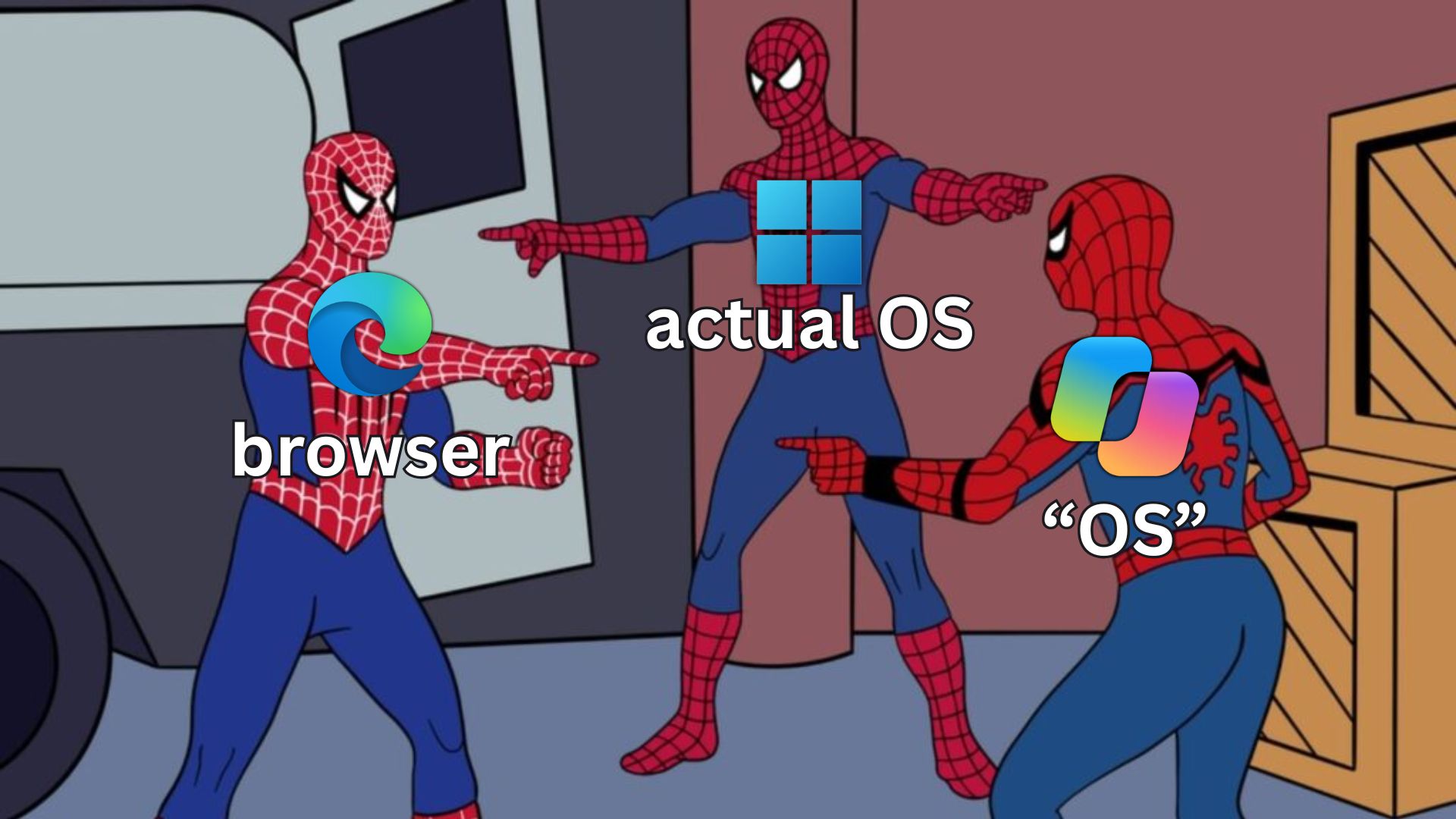
Nadella made this statement again in Microsoft's internal letter announcing that LinkedIn CEO Ryan Roslansky will leave his post at the end of 2026. He said that Microsoft is rapidly advancing the vision of "making Copilot a new work operating system" so that it can cover different models, different device forms and different work tasks, and at the same time, Office can be fully integrated into Copilot, and Copilot will in turn be integrated into Office.
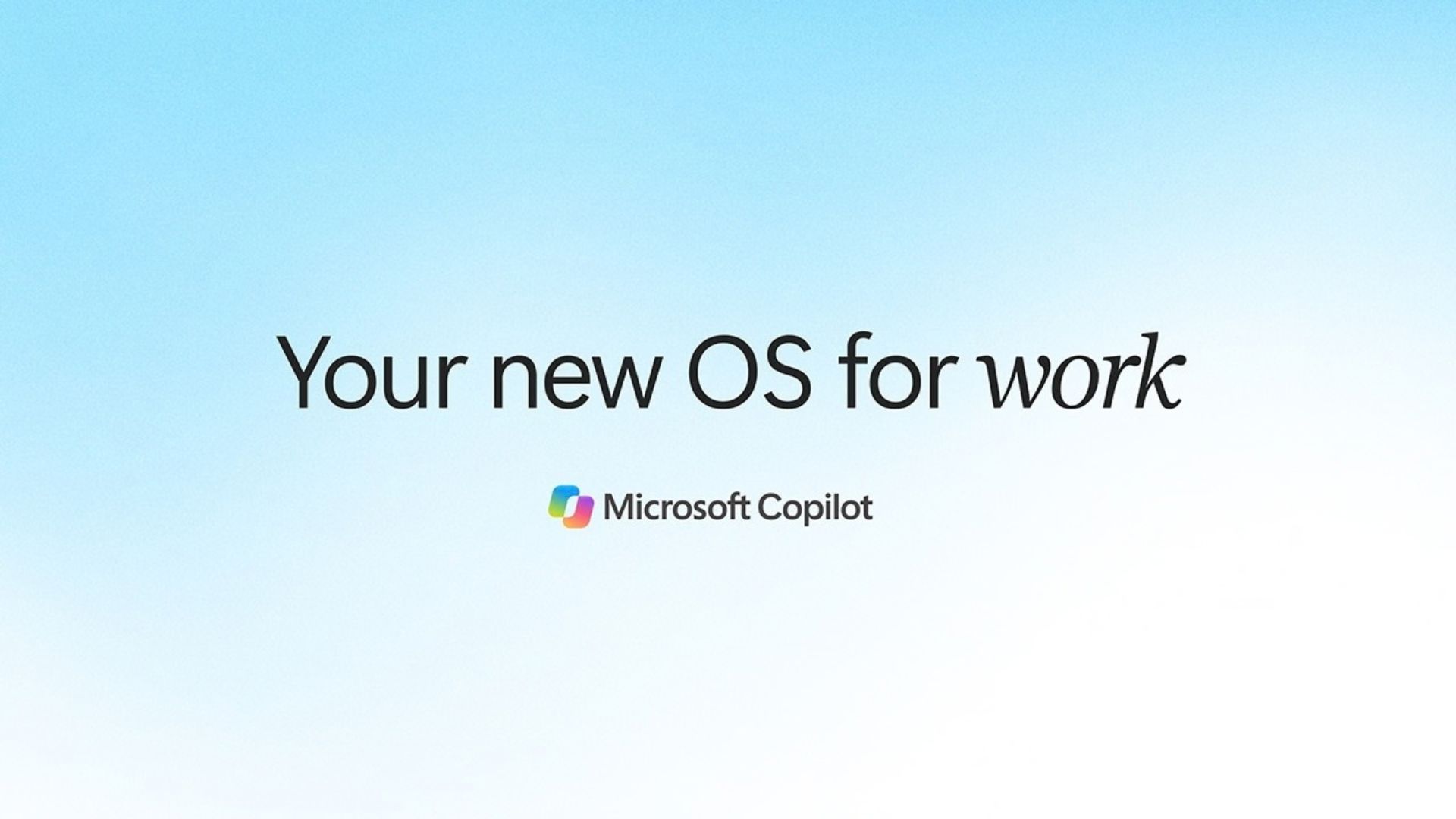
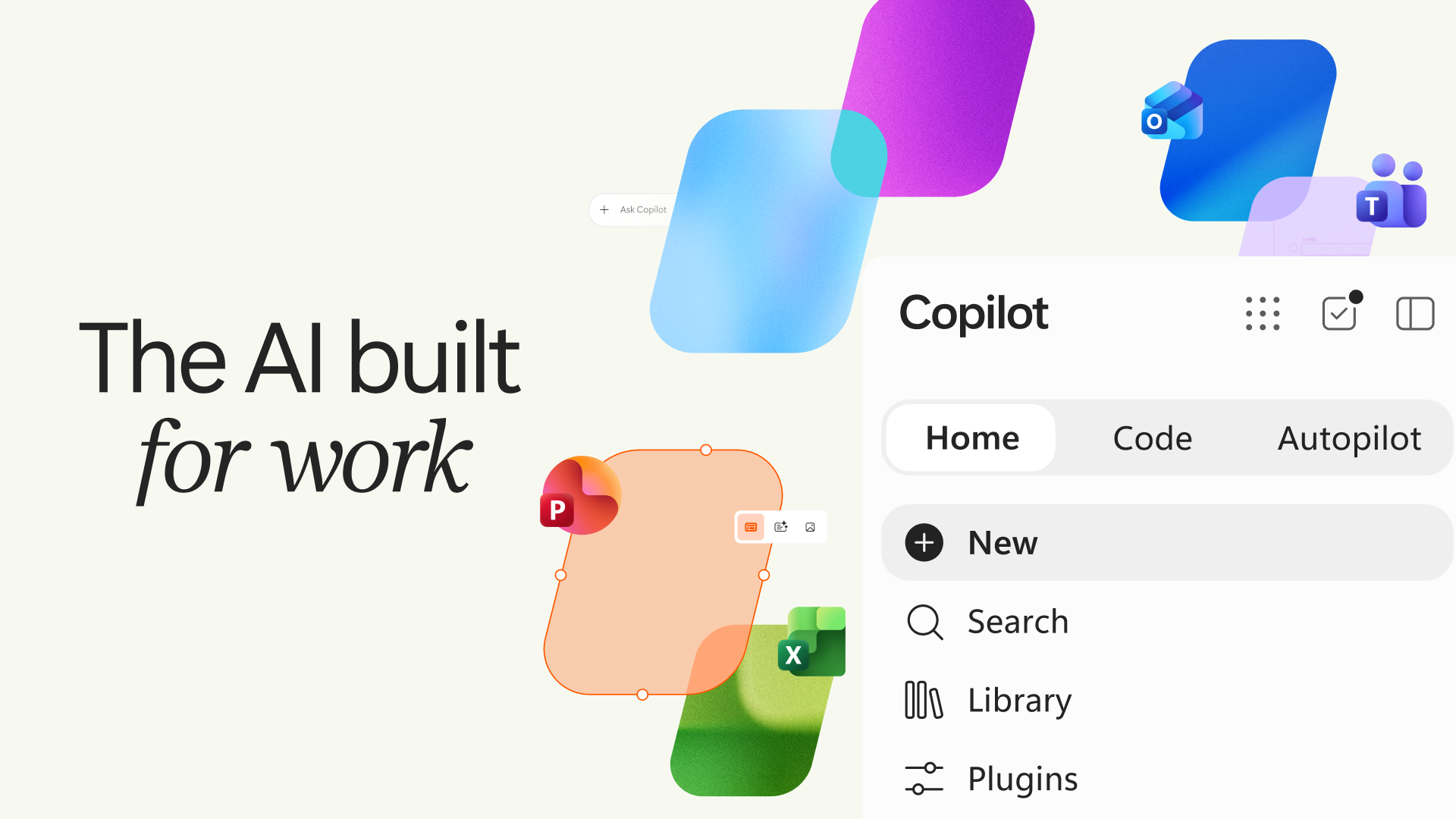
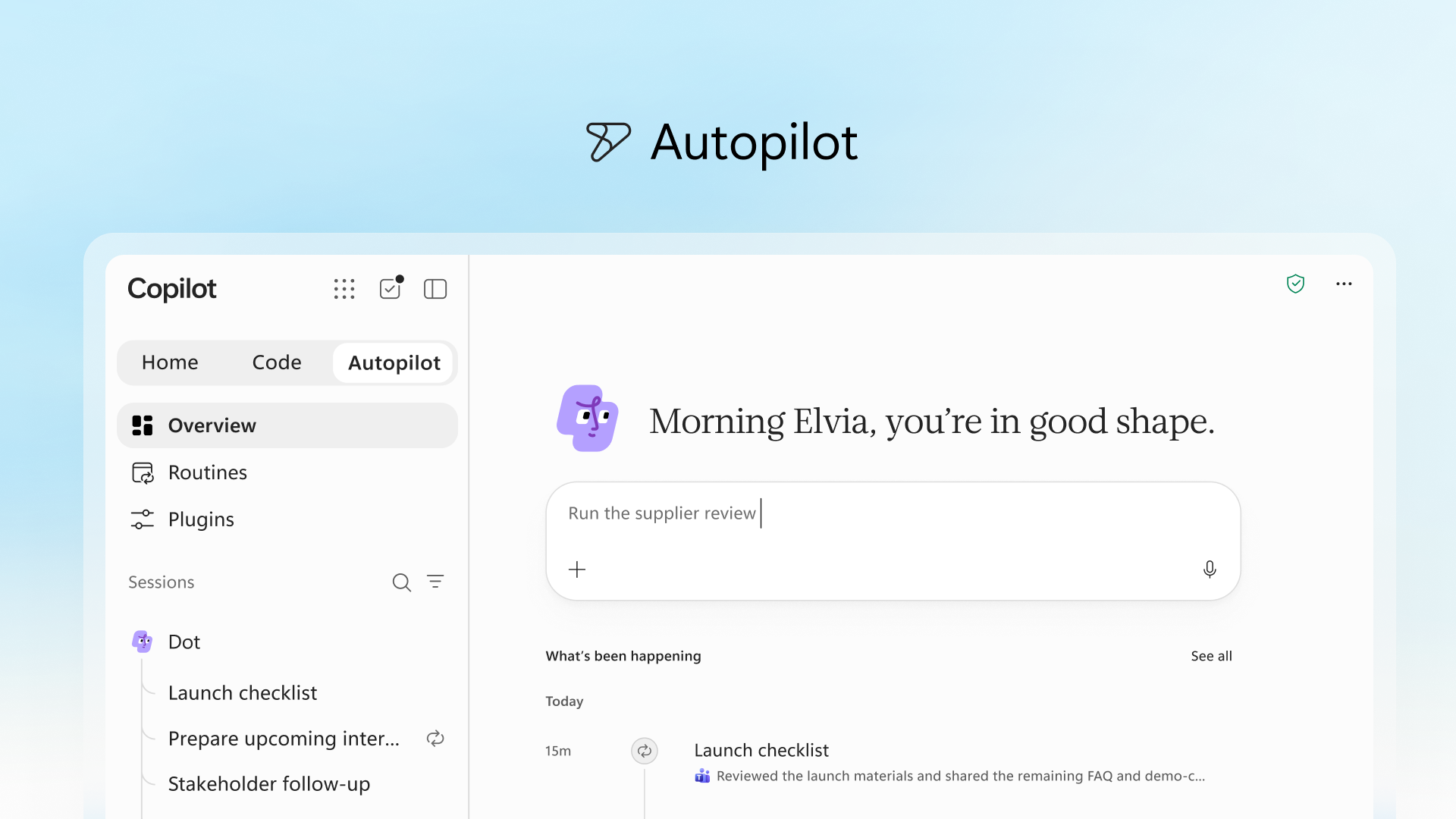
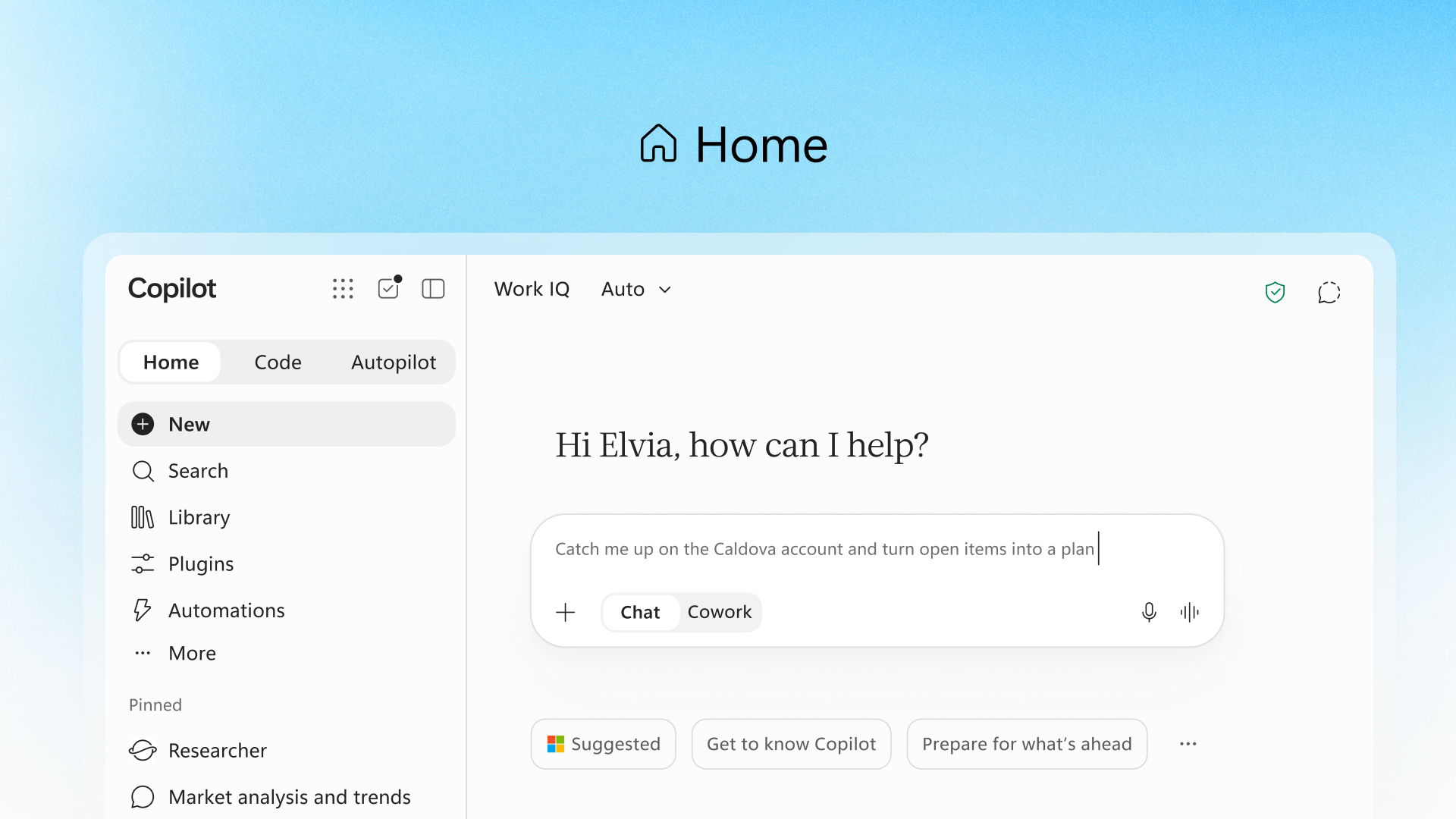
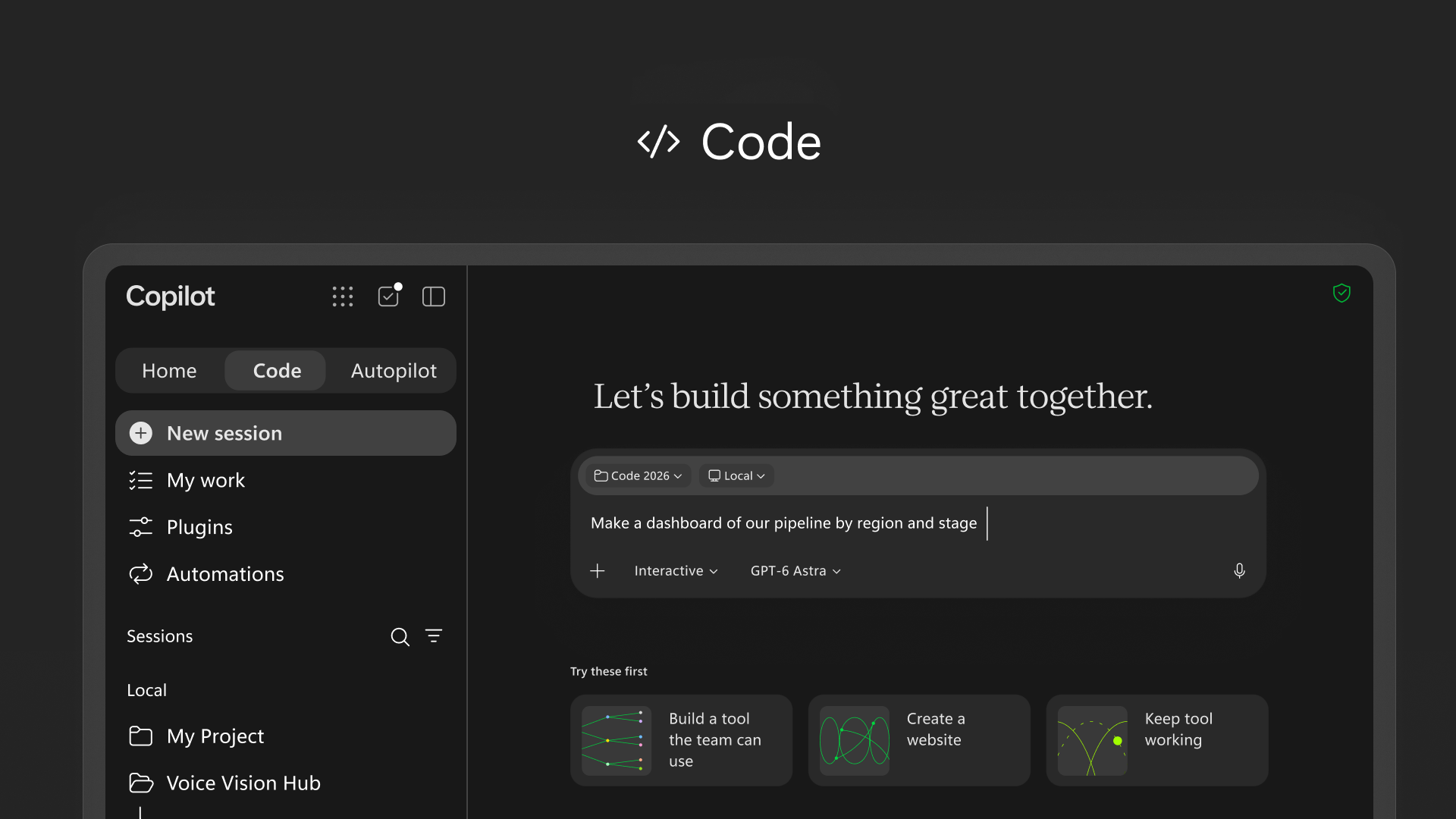
This statement echoes the new generation Copilot strategy released by Microsoft on September 25. Microsoft has redesigned Copilot and further expanded it from a traditional chatbot into an integrated work platform, adding functions such as Home, Code, and Autopilot, and integrating Word, Excel, and PowerPoint directly into Copilot. Microsoft hopes that users will not have to constantly switch between multiple applications, but can directly complete a series of tasks from information retrieval and document editing to application development and automation tasks through Copilot.
Among them, Home is responsible for providing entrances such as Chat and Cowork; Office puts Word, Excel and PowerPoint into the Copilot environment; Code allows users to describe requirements through natural language and create applications, dashboards and workflows; Autopilot is an AI agent that can run for a long time and can perform tasks, follow up conversations and handle periodic work without continuous instructions from the user. Microsoft also plans to launch the Today function, which will centralize information such as email, calendar, Teams conversations, meetings, and tasks into a proactive work center.
From a product strategy perspective, Microsoft has its own logic in calling Copilot "OS". The core role of a traditional operating system is to provide a unified layer through which users can access applications, files, and various system services. Microsoft now hopes that Copilot will become a similar unified entrance in enterprise work scenarios, allowing users to directly call Office, enterprise data, AI models, third-party tools and automated agents through natural language.
After analyzing the latest Windows version of Copilot, we found that this "operating system" is far from an operating system in the traditional sense in terms of technical implementation.
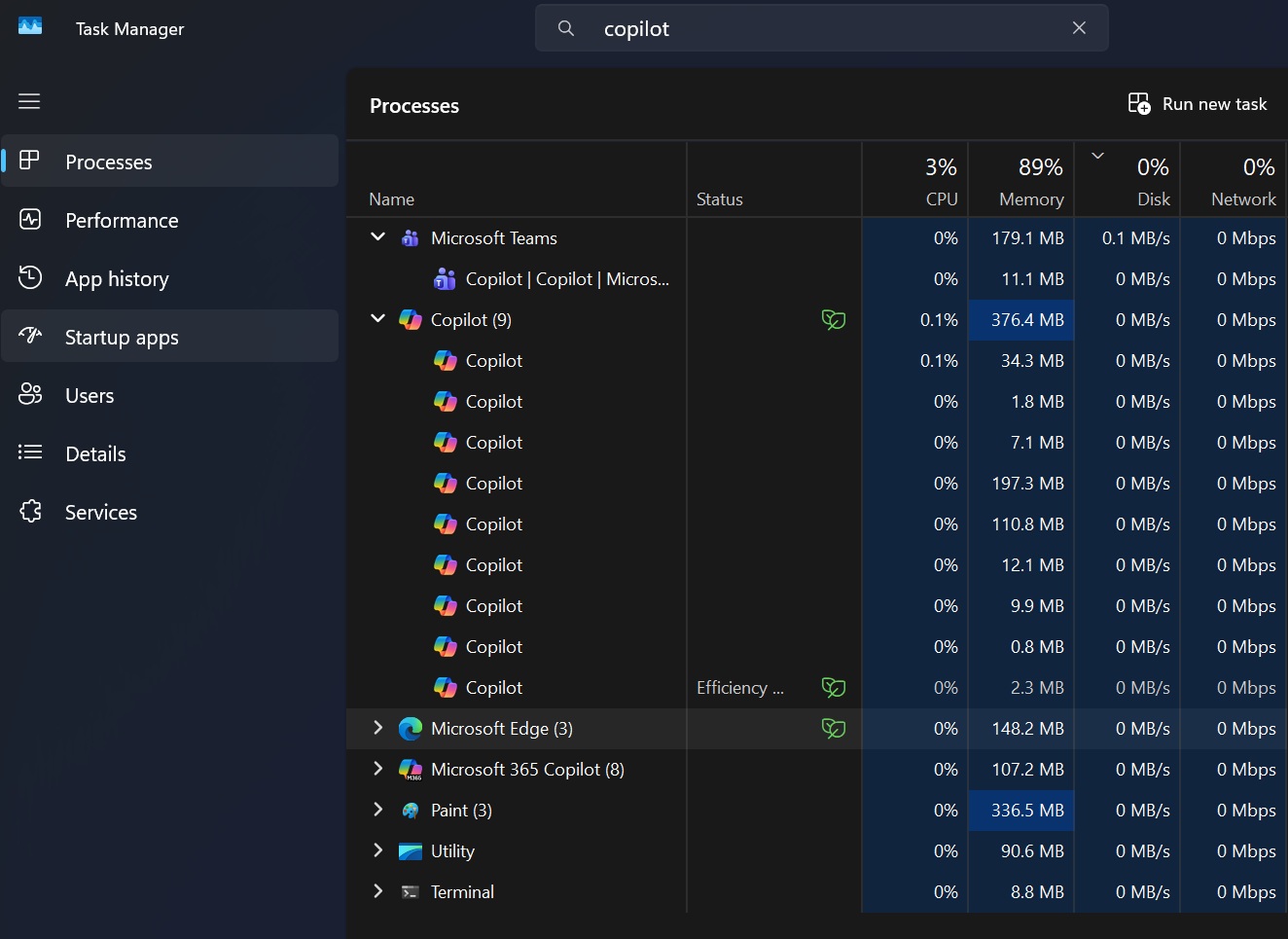
In the latest version of the Copilot installation package, the copilotapp.exe file responsible for starting the application is only about 4.99MB in size, but it contains a complete set of Microsoft Edge 154 browser components next to it, which is about 520MB in size. msedge.dll itself is about 349.6MB, and also includes Chromium resource files, V8 JavaScript engine, ICU, FFmpeg and GPU-related components.

In other words, Copilot's main interface is not drawn natively using WinUI, but is rendered by Chromium. After the Windows version of Copilot is opened, copilot.microsoft.com will actually be loaded; the work account will enter m365.cloud.microsoft/chat. Running behind it are Chromium's common rendering, GPU and network service processes.
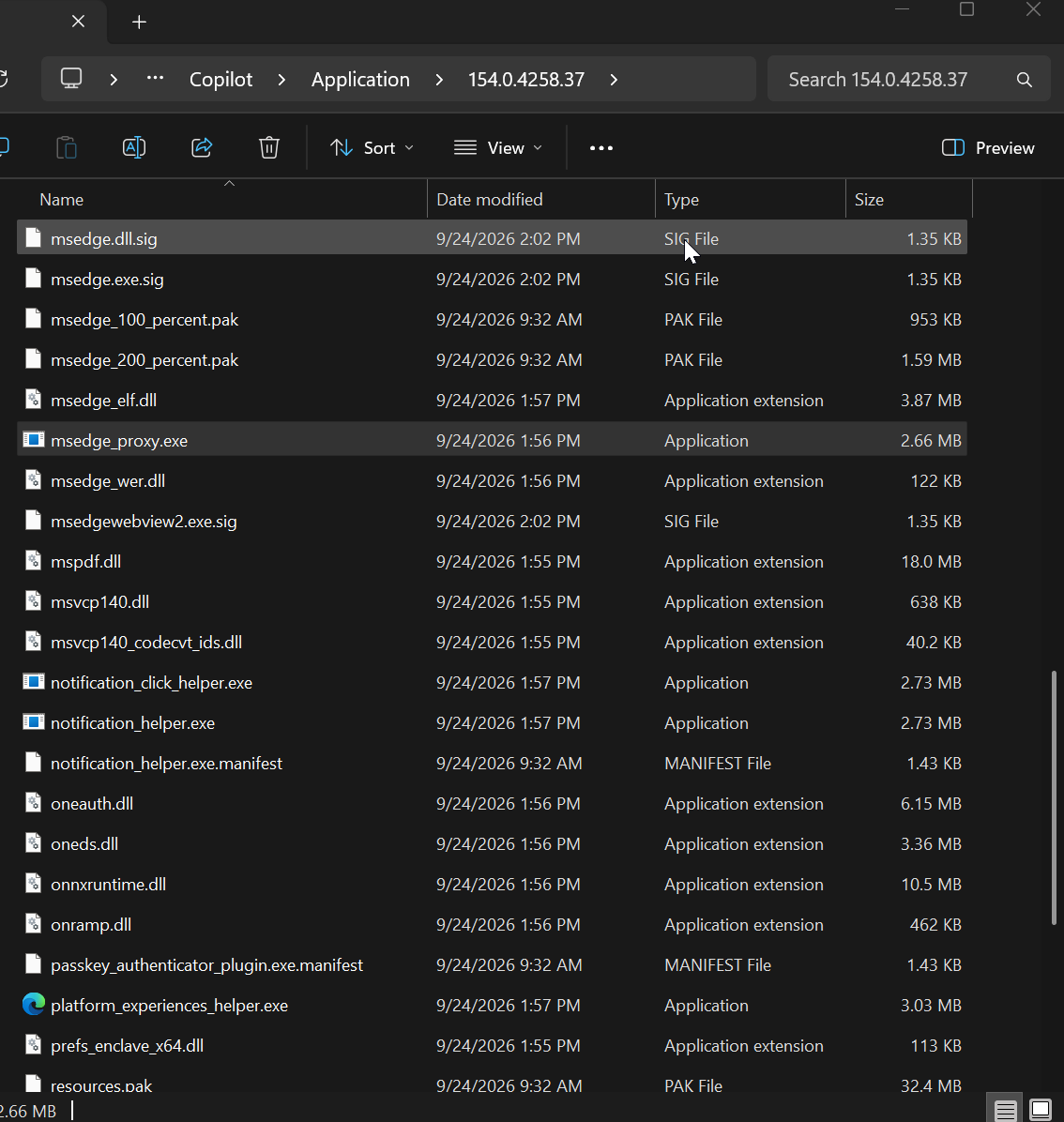
Windows Latest also found that copilotapp_proxy.exe in the Copilot installation package has exactly the same file hash as msedge_proxy.exe of Microsoft Edge, which further demonstrates that Microsoft actually carries an Edge browser operating environment in the Copilot client.
Therefore, from a software architecture perspective, the latest Copilot is closer to a Windows-wrapped Chromium application than a Windows native application in the traditional sense.
However, calling it simply "a website" isn't entirely accurate. Microsoft still provides a native WinUI 3 component copilotapphost.exe. This component is developed in C# and .NET 10, and uses Windows App SDK and WinUI XAML technology.
It’s just that this native component is responsible for very limited content, mainly including voice wake-up, “Hey Copilot” function, voice input interface, Vision permission confirmation, screen sharing, floating input box and other Windows-specific functions. Copilot's main window and the vast majority of the user interface are still handled by Chromium.
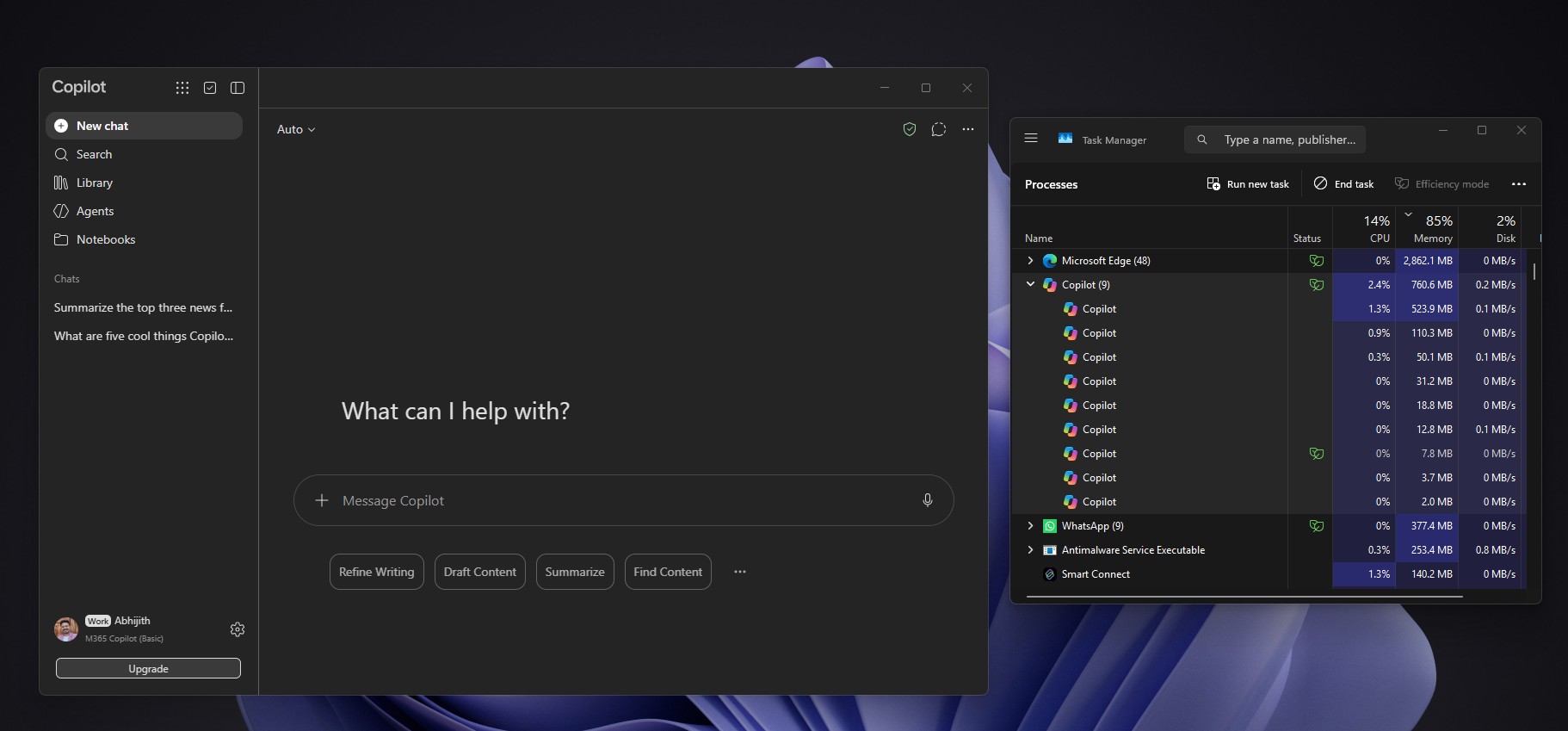
The two parts communicate through Windows named pipes, which are used to handle functions such as shortcut keys, voice, chat requests, settings, code permissions, and local folder access. Therefore, a more accurate description is: Copilot is a hybrid application with Chromium as the core and assisted by a small WinUI native component.
This is not the first time Microsoft has used Copilot to use Web technology on Windows. Copilot has undergone multiple structural adjustments in the past few years. Microsoft once used WinUI to build native Copilot, and then switched back to a solution based on web technology in 2026. The previous version mainly relied on WebView2, but the current new version goes one step further and carries the complete Chromium operating environment directly in the application.
Microsoft's own support document also clearly states that Microsoft Copilot is a web application that relies on Edge, and its Windows version runs on the Microsoft Edge engine. Microsoft lists Copilot as one of the PWA apps that run on the Edge platform.
This also creates a rather ironic comparison: Microsoft has been emphasizing the Windows native experience throughout 2026 and investing resources to improve WinUI and Windows App SDK. At the same time, one of the company's most important AI applications has chosen Chromium as the core.
When Microsoft recently launched the Windows App SDK 2.5 Experimental version, it also added controls such as TableView and Chart, and fixed the WinUI application memory growth problem. The Windows team is also rewriting part of the Windows 11 system shell, hoping to reduce performance and memory problems caused by heavy reliance on web technologies in the past.
But when it comes to Copilot, Microsoft has obviously made different choices.
The reasons may not be complicated. Copilot is now not just a Windows application, it also needs to run on the Web, Mac and mobile devices. Using Chromium and web technologies makes it easier for Microsoft to maintain functional consistency across different platforms and quickly push new features to all platforms. If a completely native Windows UI is adopted, every function needs to be redeveloped and maintained for Windows.
In particular, Microsoft now hopes that Copilot will become a unified entrance covering different devices and work scenarios, and the importance of cross-platform capabilities will naturally further increase. Therefore, from the perspective of Microsoft's product strategy, sacrificing part of the purity of Windows' native architecture in exchange for development efficiency and cross-platform consistency is likely to be a deliberate choice.
However, this also means that the statement "Copilot is a working operating system" is more of a product strategic positioning than a technical definition.
Traditional operating systems have infrastructure such as kernel, hardware abstraction, process management, memory management, driver system, file system and application running environment, but Copilot does not assume these responsibilities. It actually runs on Windows, using AI as a unified portal to connect originally scattered applications, files, data and services.
From this perspective, what Microsoft calls "work OS" is closer to a new software interaction layer than a replacement for Windows. Its core change is not to turn Windows itself into AI, but to allow users to gradually shift from directly operating applications such as Word, Excel, and Teams to calling these applications and services through Copilot.
Microsoft has explored more radical Copilot operating system concepts in the past. The previously exposed Project Aion is a typical example. This internal prototype developed around 2024 tried to significantly weaken the traditional Windows desktop, start menu and other elements, using Copilot as the main startup and interaction entrance, and using modified Edge as the system shell. The project in question does not appear to have become an official product.
Today's Copilot is obviously not as radical as Aion. Windows 11 is still the underlying operating system, and the traditional desktop, start menu and Win32 applications have not disappeared. But Microsoft is gradually putting Copilot on top of traditional applications, making it a unified entrance for users to enter Office and other work services.
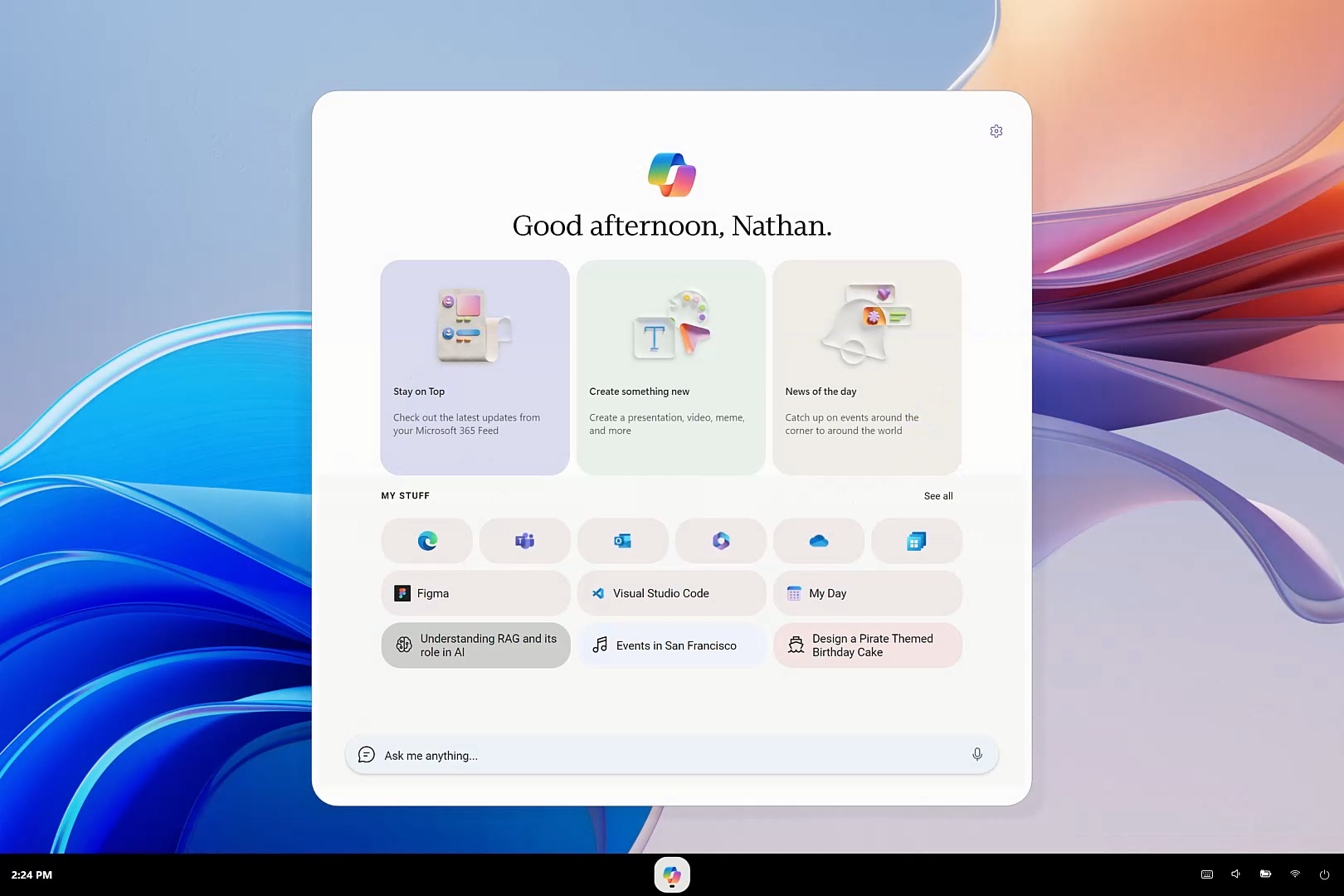
What really deserves attention is not whether Copilot counts as an "operating system", but that Microsoft is trying to change the relationship between users and office software. In the past, users needed to know which application they should open and then perform specific operations within the application; in the future, Microsoft hopes that users will only need to describe the goal, and Copilot will decide whether to call Word, Excel, Teams, enterprise data, or AI agents to complete the task.
Therefore, Nadella's so-called "working operating system" is currently more like Microsoft's definition of the next-generation software interaction model than an accurate description of Copilot's technical architecture. At least on Windows 11, Copilot is still an application running on Windows, and its core even relies mainly on Chromium. What Microsoft really hopes to build is an AI working layer that sits on top of traditional applications.
Comments