
Abstract:
Microsoft has recently begun pushing a new version of the Microsoft Photos app to all Windows 11 users, with the version number 2026.11080.24002.0. This update not only redesigns the toolbar, but also removes Copilot-related functions and multiple shortcuts to other applications. It also improves photo loading speed through a new multi-process architecture. Users do not need to join the Windows Insider program to experience these changes.
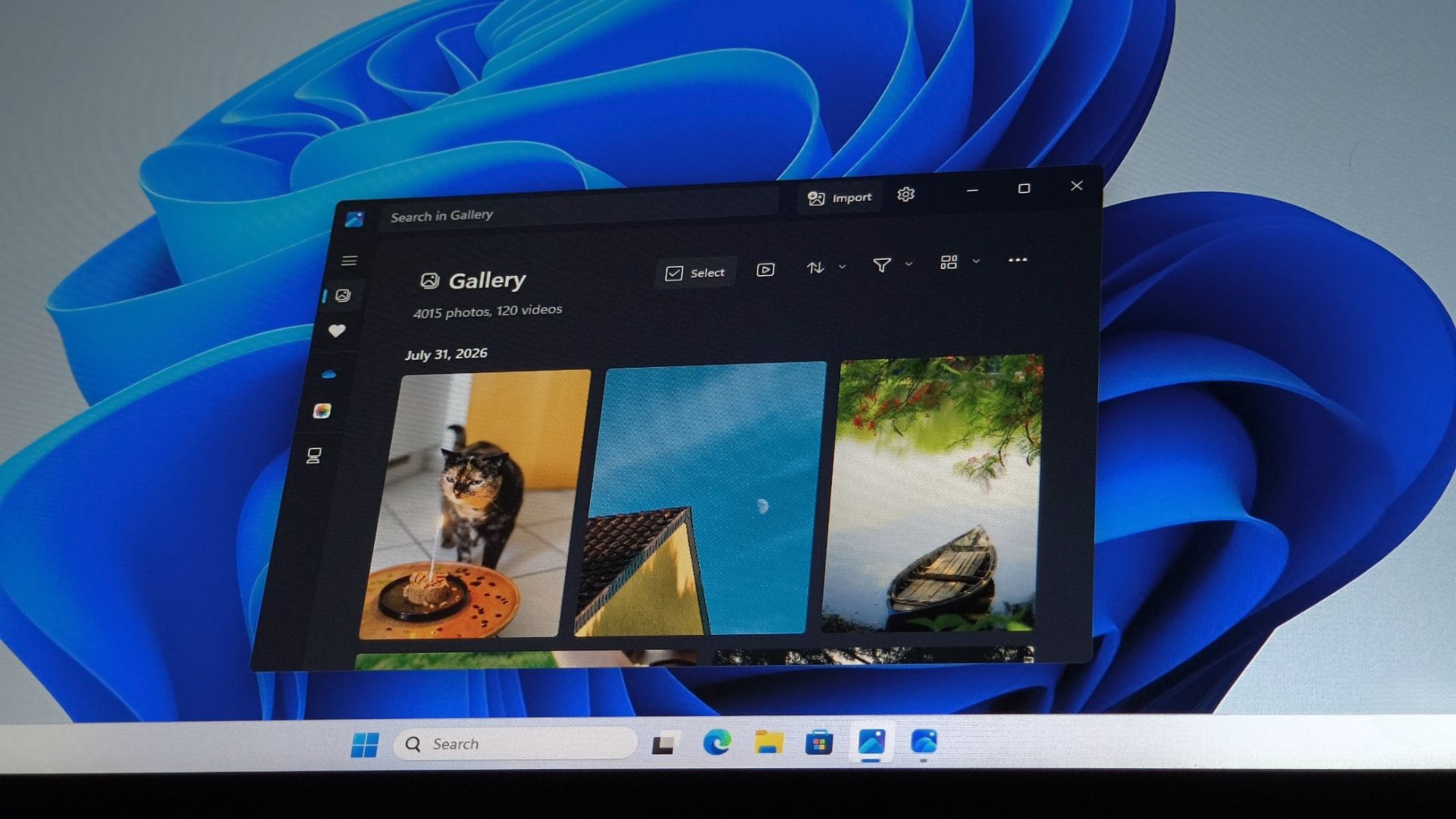
Microsoft initially launched this streamlined version of Photos to Insider testers in July 2026. At that time, it was not sure whether the company would officially adopt this design. Today, the update is available to users outside of the beta channel, indicating that Microsoft decided to keep the changes based on feedback.
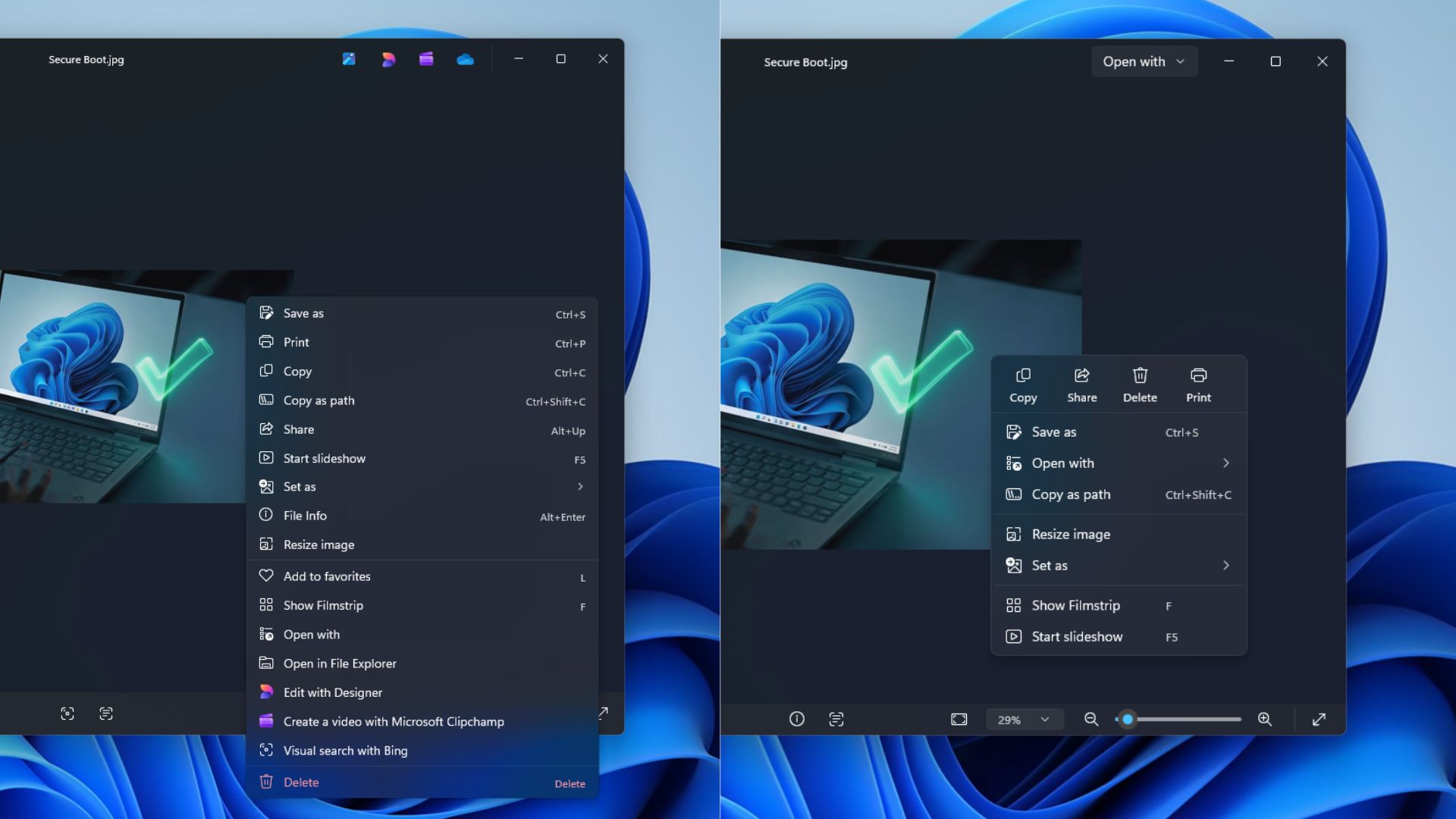
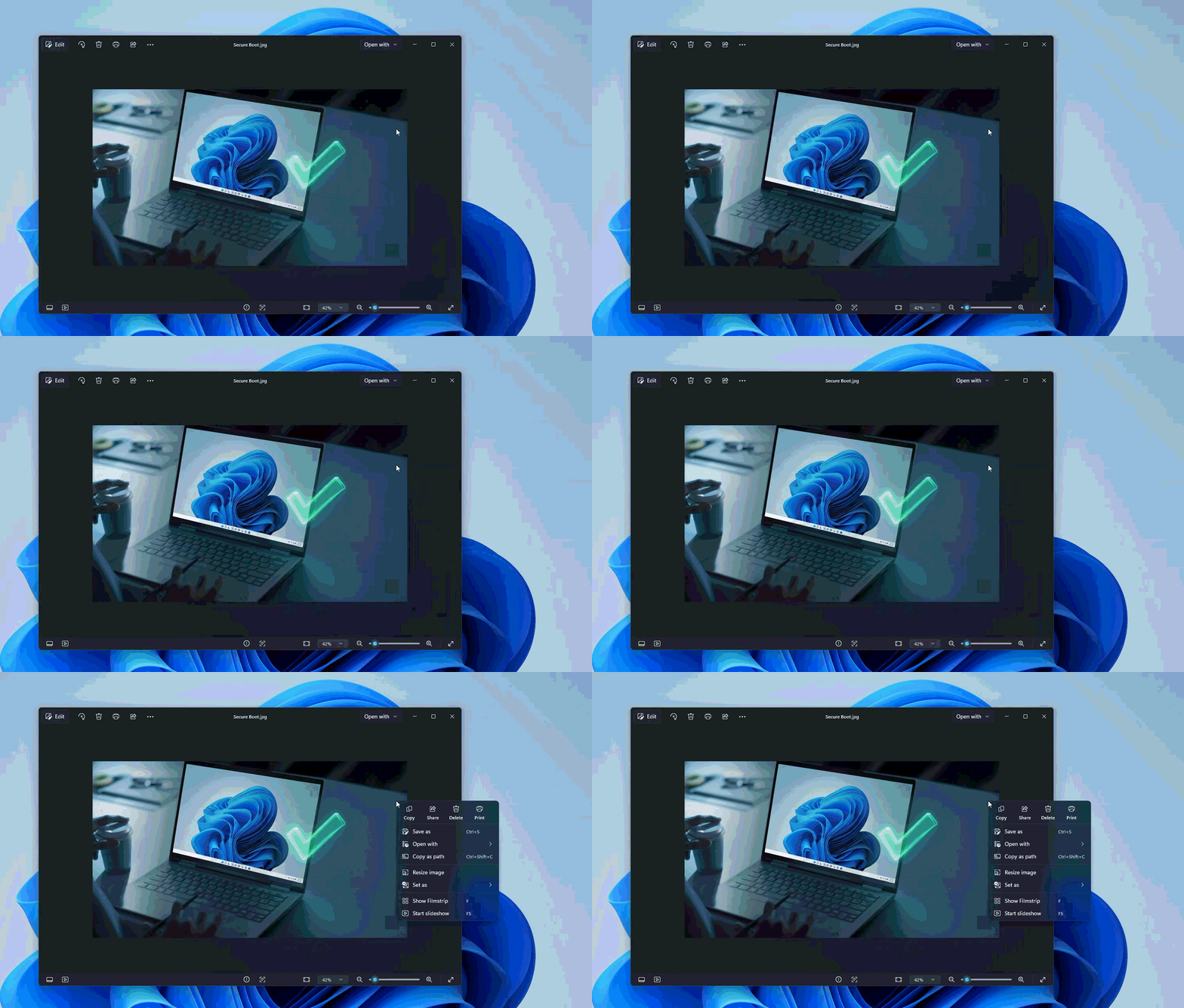
The most obvious change in this update is that the toolbar is no longer stacked with a large number of functions unrelated to photo viewing. Microsoft has removed the "Ask Copilot" button, but still retains tools such as AI background removal. Since these features are optional, users can use them as needed.
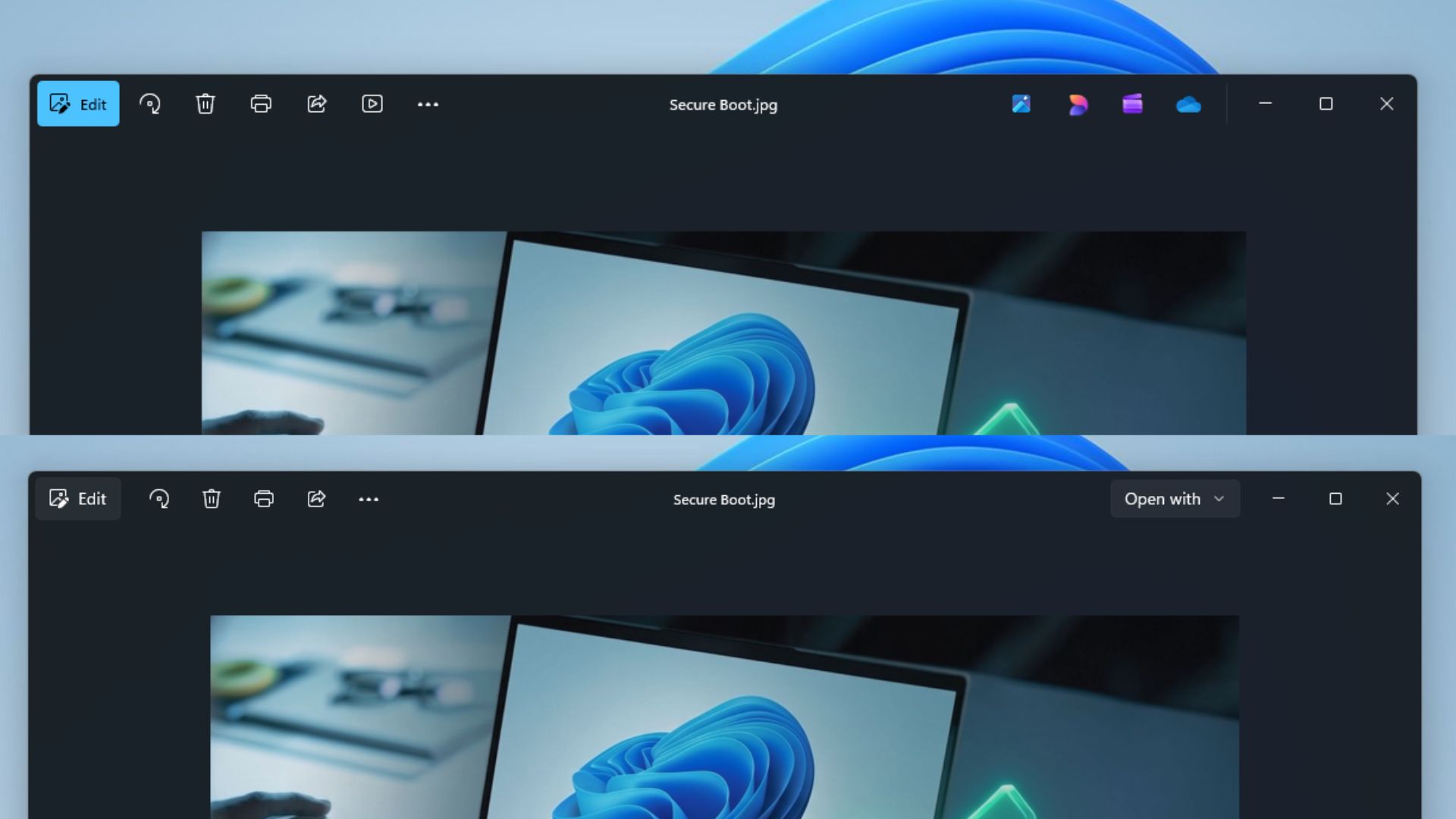
The new version of the toolbar also cancels the entrances such as Designer, OneDrive and Clipchamp. Microsoft hopes to allow users to focus more on photo content instead of being distracted by promotions or shortcuts from other apps. Previously, the Photos toolbar used to have about 10 options at most, not including the functions hidden in the three-dot menu.
OneDrive entry has now been moved to the left sidebar or settings. If users need to view photos stored in OneDrive, they can access them through the sidebar. Designer no longer appears directly in the toolbar. Users need to select Microsoft Designer, Clipchamp, File Explorer or other applications through the new "Open with" menu.
The slide show button has been moved to the bottom of the app. The new moderator toolbar currently retains functions such as editing, rotating, deleting, printing, sharing, three-dot menu and "Open with". Microsoft says this adjustment is designed to reduce distractions and make it easier for users to find the most commonly used actions.
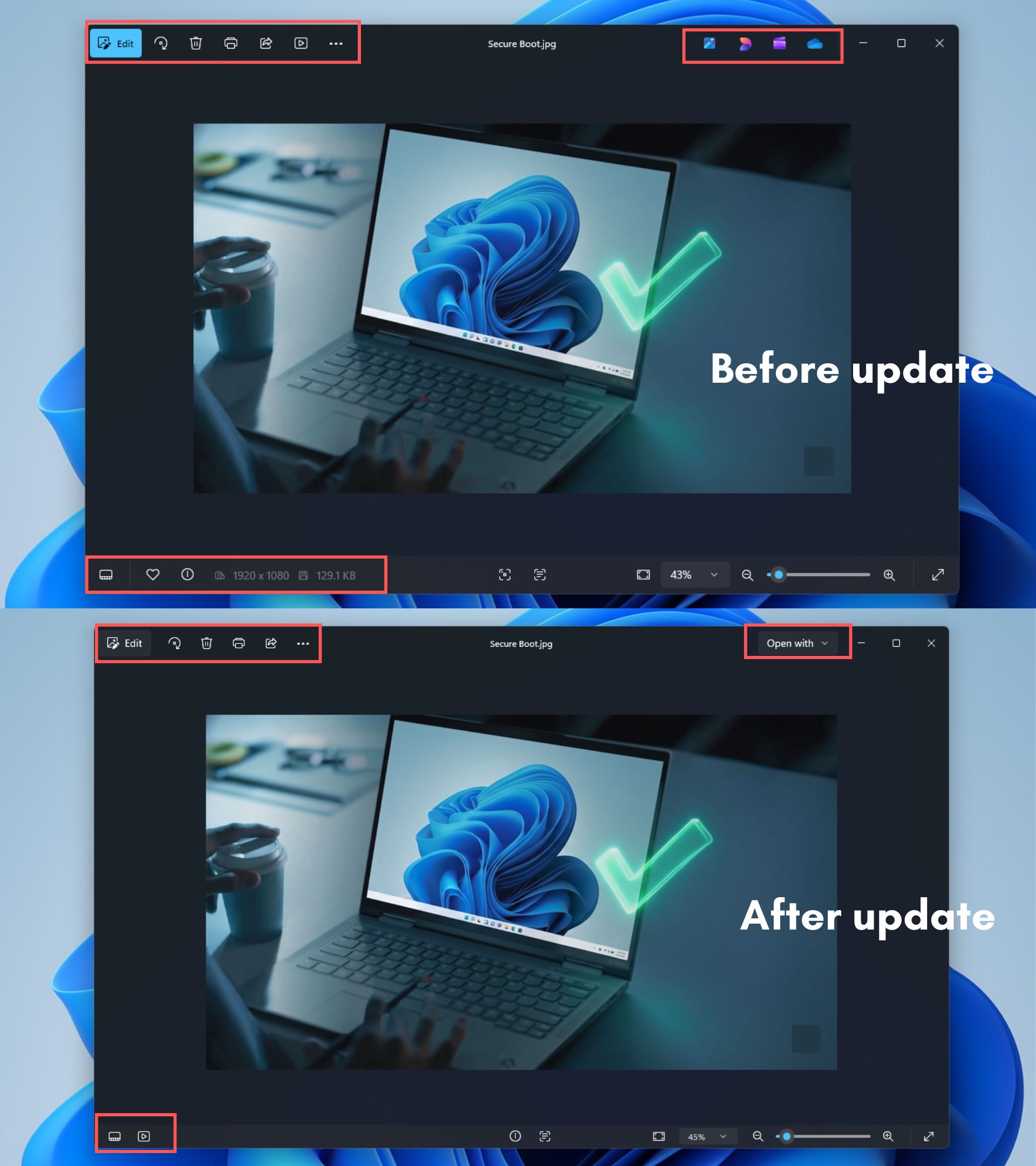
The right-click menu has also been streamlined, taking up less space overall. Microsoft has integrated some options into nested menus and added a command bar similar to the system right-click menu. After the update, users will no longer directly see options such as "Visually search with Bing," "Edit with Designer," or "Create videos with Microsoft Clipchamp."
Not all changes are satisfactory, however. For example, if a user wants to find the location of a photo file, they now need to open "Open with" in the right-click menu and then select File Explorer. Previously, Photos could directly provide the "Open in File Explorer" option, so this adjustment adds more steps.
In terms of performance, the improvements in the new version of Photos are even more obvious. In testing, Windows Latest found that applications started faster, photo zoom operations were smoother, and lags were reduced even on low-end hardware. Large photos can now be opened almost immediately, eliminating the need to wait for a brief loading process.
Microsoft says these improvements are due to a new "multi-process architecture" that nearly doubles photo loading speeds. The response speed of the right-click menu has also been improved, making the overall user experience more enjoyable.
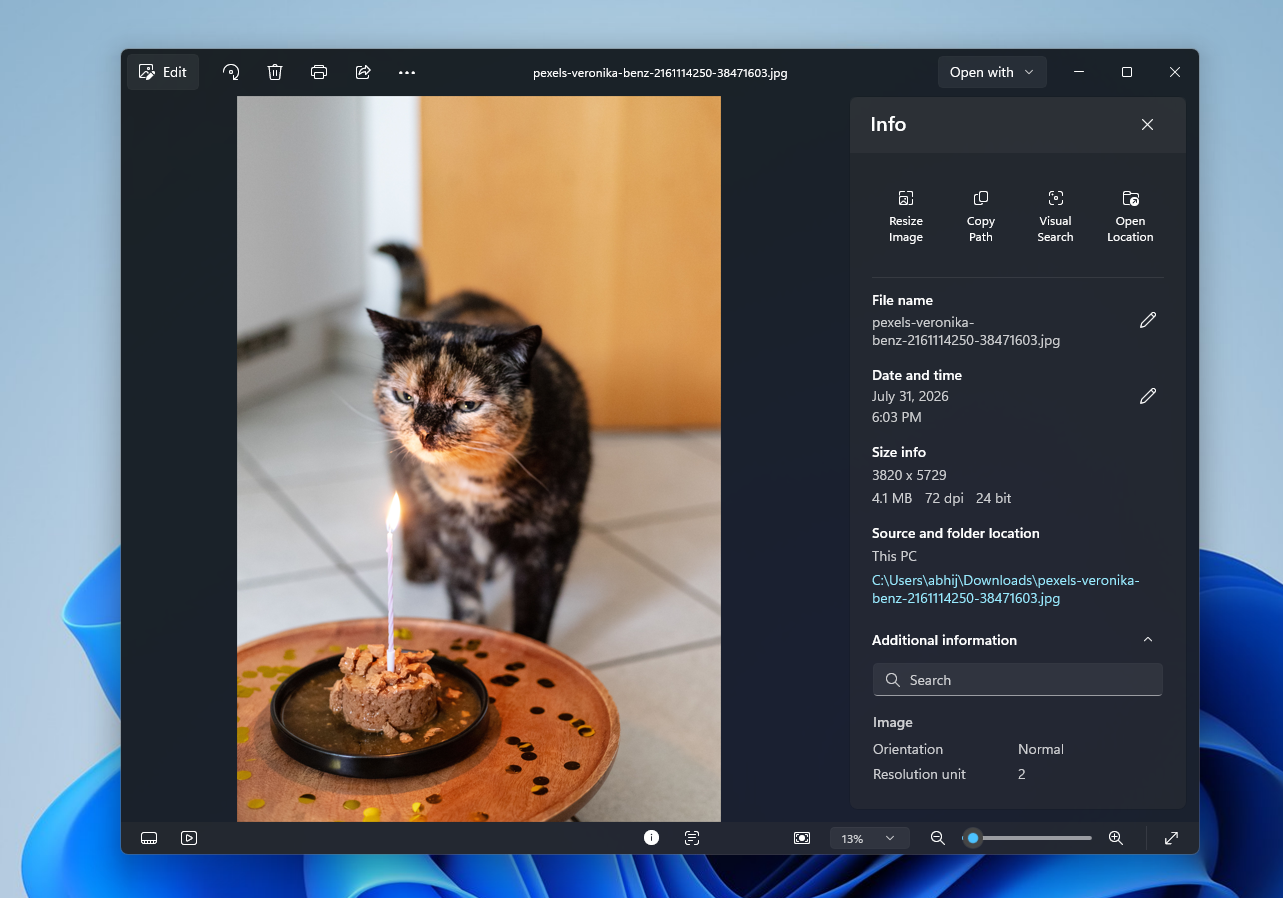
In addition, Microsoft has also redesigned the file information panel, adding options such as resizing images, copying paths, visual search, and opening location. Some functions were previously located in the right-click menu, so this update is more of a rearrangement of functions rather than a complete removal.
The new version of Photos also improves support for HEIC photos. Users can edit HEIC files directly without converting the format first. At the same time, the application can now directly open SVG files, no longer needing to rely on third-party applications.
In general, this update does not significantly change the core functions of Photos. Instead, it streamlines the interface, reduces cross-entries between applications, and optimizes the underlying architecture to make Windows 11's built-in photo viewer more focused on viewing and editing photos. For those who have always thought that Photos has too many features and is slow to launch, this may be a fairly obvious improvement to the experience.
Comments