
Abstract:
Microsoft is pushing the newly revised File Explorer right-click menu to Insider test users in the Windows 11 Beta channel. The new features will be launched with Build 26220.9757. This improvement first appeared in the Experimental experimental channel in August this year, and now it has entered the larger Beta testing stage, which means it is one step closer to the official release.
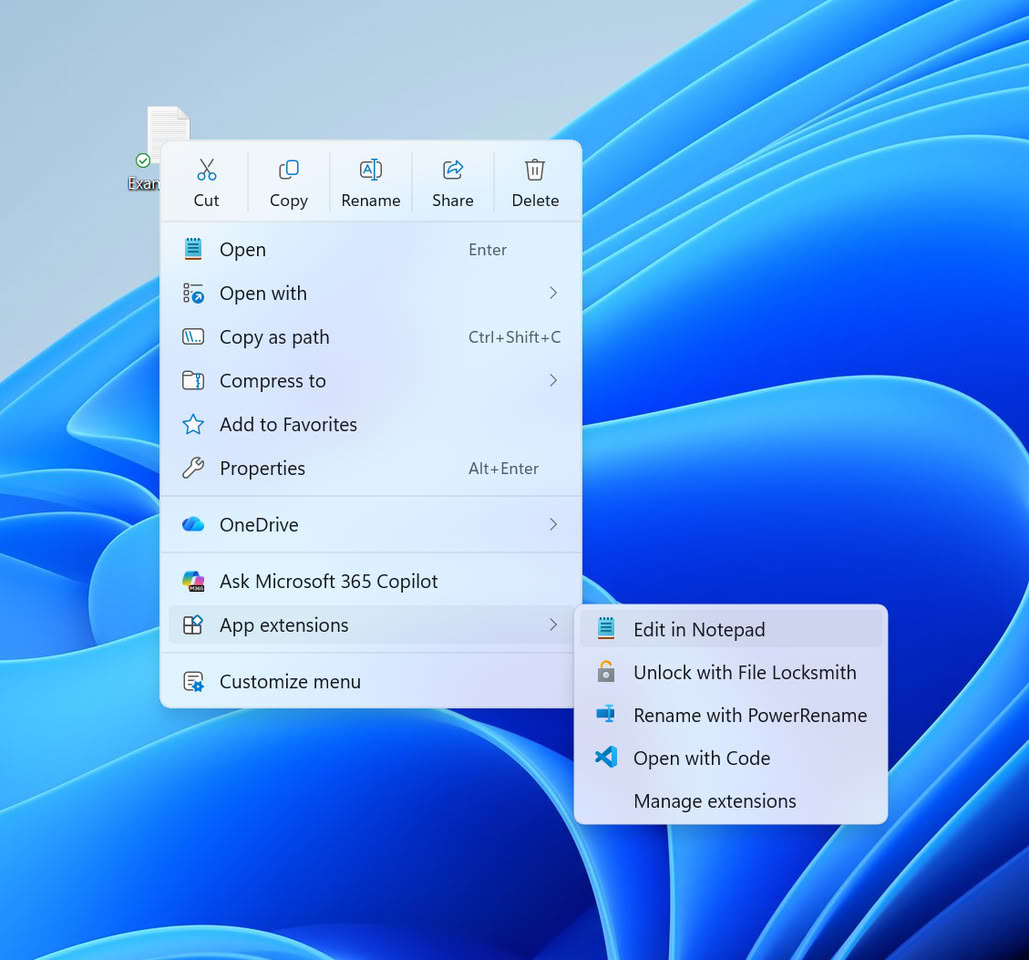
Microsoft stated that the main reason for redesigning the right-click menu is that the existing menus in Windows 11 have become more and more bloated over time. Since a large number of third-party applications add their own options to the right-click menu, the system needs to load more content each time the menu is opened, which not only affects response speed, but also makes it difficult for users to quickly find commonly used functions.
The new design idea is to streamline the top-level menu into the most common operation items, and add a "Customize menu" entry at the bottom of the menu. Through this new settings page, users can freely choose which functions should be displayed in the right-click menu, thereby creating an operating environment more in line with personal habits.
According to the design plan previously announced by Microsoft, the new menu has a high degree of configurability. Users can turn on or off built-in system commands, such as "Send to" and "Create shortcut" functions; the "Print" option, which is originally hidden by default, can also be added to the menu. For third-party application extensions, users can either display them directly in the main menu, put them in a submenu, or even hide them completely.
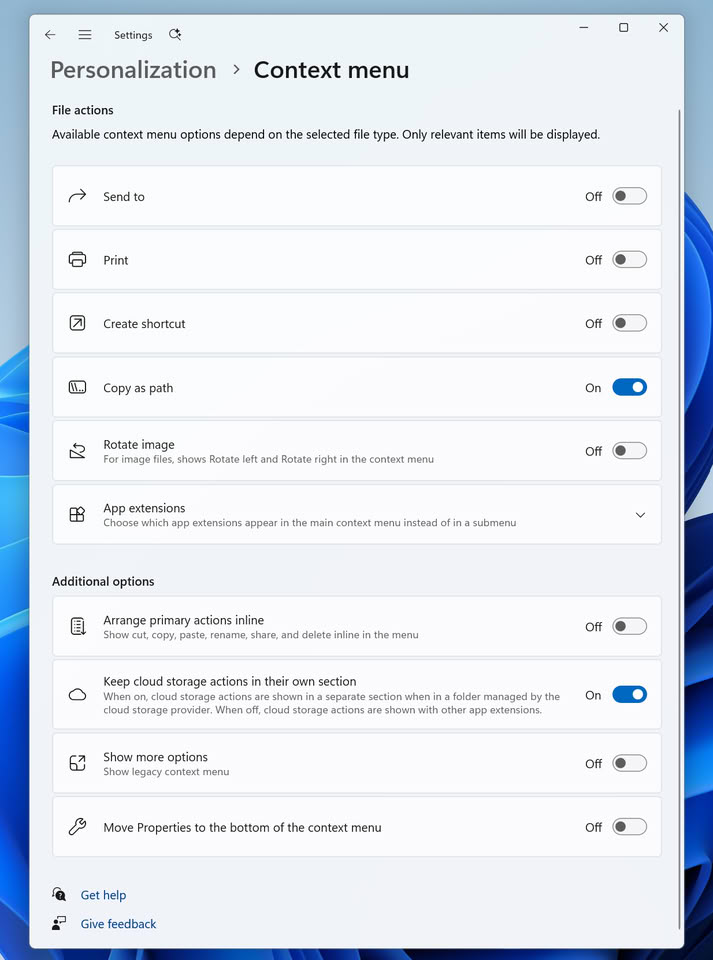
In addition to the management of menu items, Microsoft also allows users to adjust some interface display methods. Common commands including cut, copy, paste, rename, delete and share can be changed from the current icon form to text display; the position of the "Properties" option can also be adjusted to the bottom of the menu. In addition, the system may also pop up a guidance prompt when using it for the first time to help users understand these new personalized settings.
Microsoft emphasizes that this feature is still in the testing phase and may continue to be modified and improved based on feedback from Insider users in the future, so some details still have room for change before the official version is released.
This right-click menu reform is also part of Microsoft's recent plan to continue optimizing File Explorer. Microsoft has previously announced that it will gradually remove eight OneDrive-based Copilot functions from the File Explorer right-click menu starting in mid-November this year to reduce menu complexity. At the same time, the company has previously launched a resource manager background preloading solution, hoping to improve startup speed and overall performance by loading relevant components in advance.
So far, Microsoft has not revealed when this new set of customizable right-click menus will be available to ordinary Windows 11 users. However, as the function has entered the Beta channel testing stage, it is generally believed that it is getting closer to officially landing on the stable version system.
For users who have long complained about the complex hierarchy and slow response of Windows 11’s right-click menu, this update may mean that Microsoft is trying to fundamentally solve the interface and performance problems that Explorer has accumulated over the years, and return more control to the users themselves.
Comments