
Abstract:
After using iPhone Duo for a week, CNET reporter no longer wants to switch back to a candy bar phone. However, two reviewers on The Verge said that they often breathe a sigh of relief when they pick up a regular iPhone again to do work. On October 21, the first batch of reviews of Apple’s first foldable phone was released. CNET gave it an 8.7 score and editor recommendation, and The Verge gave it a 7. Duo is equipped with a 5.4-inch external screen and a 7.6-inch internal screen. The National Bank 256GB version starts at 15,999 yuan and will be officially launched on October 23.
Judging from the comments, the differences among the media are no longer just about whether the creases are deep or not. Some people have used it to write video scripts and fix photos, while others found that when they responded to messages, they had to rethink how to hold an iPhone.
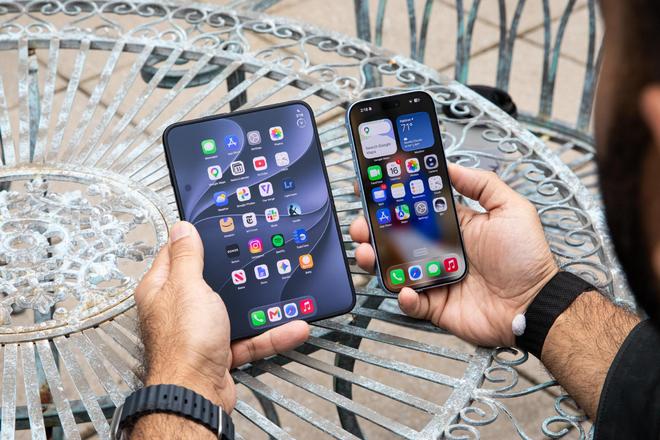
Picture: The unfolded iPhone Duo and the straight iPhone are in the same frame. Image source: The Verge
Retouching pictures and cutting videos, big screen is really useful
PetaPixel’s Jaron Schneider usually edits pictures on the computer. For this review, he deliberately left the photos taken by Duo on his phone and processed them directly with Lightroom and Afterlight. He likes the size of the inner screen very much: when you zoom in, you can see local details clearly, and when you zoom out to the full picture, the entire photo does not become a thumbnail the size of a fingernail.
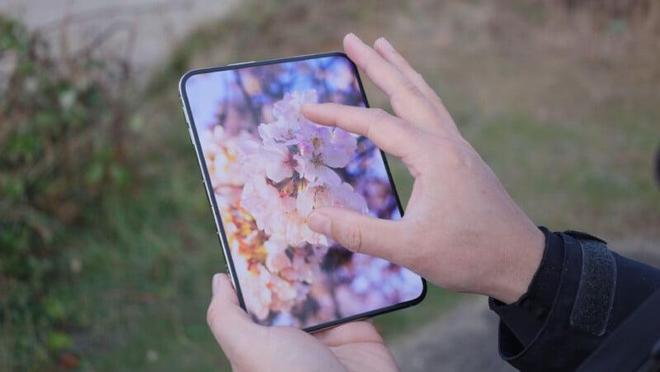
Picture: Enlarge the photo on the expanded inner screen to view local details. Image source: PetaPixel
Cutting videos also benefits. The Edits application tested by The Verge has been adapted to Duo, with a longer timeline and a larger preview window after expansion. The CNET reporter wrote the script for this review video directly on Duo, eliminating the need to carry a computer with him.
When the CNET reporter was packing up the purchased ingredients and washing the dishes, she would stand the Duo in half on the countertop and have a video call with her family, freeing up her hands to do work; when she opened two apps side by side, she could still talk and reply to iMessage at the same time.
There is less reflection, but the creases have not disappeared
This internal screen has also received praise from many media. Apple has applied a matte nano-texture treatment to the surface of the screen. Both WIRED and PetaPixel believe that this can reduce reflections and make creases less conspicuous during daily viewing. The Verge said that you can still feel the creases when you run your fingers across them, and you can also notice them when looking at the screen with a white background at an angle, but you don’t pay much attention to it after using it for a while.
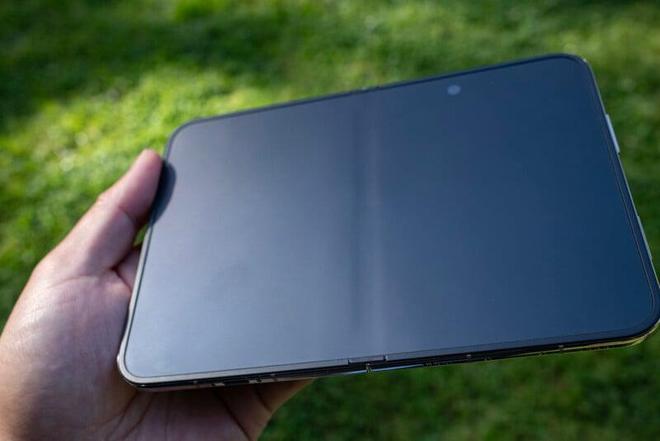
Picture: The crease in the center of the screen can still be seen at an oblique angle. Image source: PetaPixel
However, the matte screen also comes at a cost. Tom's Guide believes that compared with the iPhone 18 Pro Max, the black displayed on the Duo internal screen is not pure enough and the colors are not as full.
Duo is repeatedly opened and closed using a film and television hurricane folding test machine. The test includes 10,000 consecutive folds at room temperature and 1,000 folds in an environment of minus 20°C. They said that after the test, the Duo's hinge was still smooth, there was still power when opening the screen, and the feel was no different from when it was first used. However, the creases on the screen are deeper than before testing.
They also tested whether hair would get caught in the hinges. At a specific opening and closing angle, the hair is indeed rolled in. Film and Television Hurricane believes that the probability of this happening is unlikely, but not impossible.
Typing, split screen, you have to get used to it again
When Schneider unfolds Duo horizontally to use Slack, the chat list is on the left, the current conversation is in the middle, and the control bar is on the right. The three columns can be seen at the same time. But as soon as the keyboard popped out, he found that the thumbs of both hands couldn't quite reach the G key in the middle. Turning the phone into portrait mode makes typing much easier, and the three-column interface just now has shrunk back to a single column.
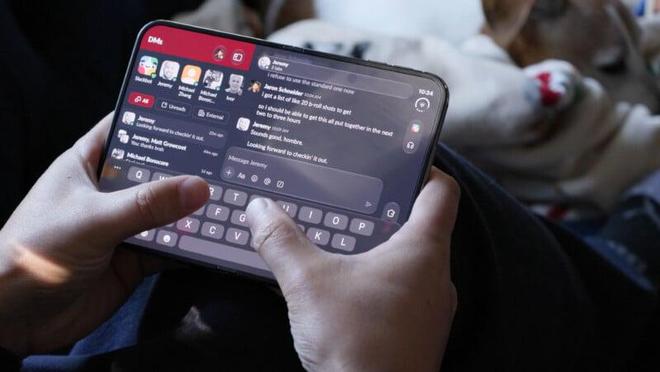
Picture: Slack’s multi-column interface and horizontal keyboard. Image source: PetaPixel
CNET reporters have relatively large hands and can type in landscape orientation, but they still have to stretch their thumbs to reach the keys. It would be more comfortable to switch to portrait orientation.
There are many things that need to be accommodated when closing the phone to use the external screen. The Verge found that once the keyboard pops up on this short and wide external screen, there is often only room for two or three messages on the screen. In order to make vertical space for content, Apple has moved many function buttons to the right side, and the back button of the mail application has also been moved from the upper left corner to the right side. Reviewers could not find it when they first started using it. CNET also pointed out that the controls on the right side cannot be swapped to the left side, which is not friendly to left-handed people. Duo does not have Face ID, and the Touch ID on the side power button is used for unlocking and payment confirmation. WIRED also mentioned that the 254-gram body makes it feel heavy when holding it for a long time to browse content.
There are also minor glitches in the interface switching when opening and closing the phone. Movie Hurricane said that if you slowly open or close the screen, the wallpaper layer will occasionally jump or the interface will shake when switching between internal and external screens; if you rotate the phone at the same time, you may also encounter an inverted screen or a black screen. None of these display anomalies occurred when they opened and closed rapidly.
The large internal screen cannot be used exactly as the small iPad is used to. The Verge writes that two normal apps are side by side and can only be used in landscape orientation. WIRED further pointed out that the split-screen ratio is fixed at 50/50 left and right, and one side cannot be enlarged.
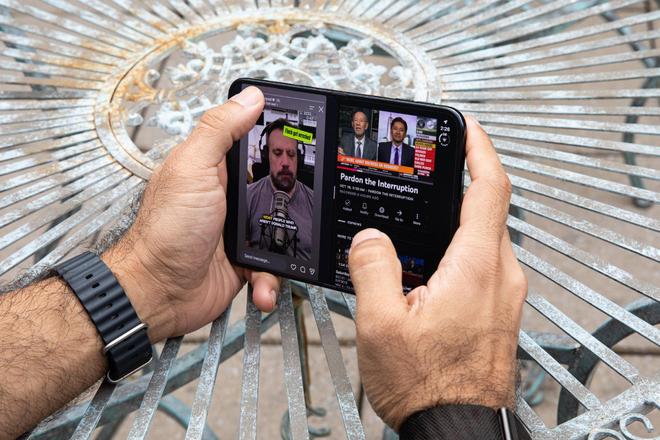
Picture: Open social applications and videos at the same time in horizontal screen. Image source: The Verge
In portrait mode, the system does not support splitting two ordinary applications up and down the screen. However, it is still possible to watch videos on the top and swipe another app on the bottom. According to The Verge's steps, you must first open the video with an app that supports background playback, exit the app and shrink the video to a floating window, then open another app, and then click the button on the floating window to fix the video at the top of the screen. They tried it and found that YouTube TV worked, but regular YouTube didn’t work.
The adaptation of third-party applications is still being supplemented as it is used. WIRED said that the day before the review was published, applications such as Instagram, Threads, Slack and Google all updated the Duo adaptation. Applications that have not been adapted yet have wide black borders on both sides, and there is still a mobile phone-sized interface in the middle.
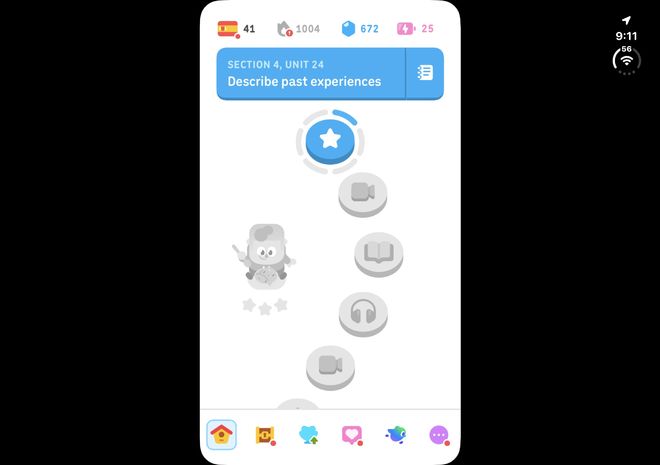
Picture: Duolingo during evaluation: the interface is centered, and there are still large black borders on both sides. Image source: The Verge
The adaptation progress of domestic mainstream applications is also uneven. Movie Hurricane uses Feishu to read documents and conceptualize mind maps, and feels that the experience is much better than that of a candy bar machine; iQiyi's button layout and interaction also take into account the switching between horizontal and vertical screens. But as of the completion of this video production, they have not yet used the WeChat version specifically adapted to Duo.
There are many ways to take pictures, but the telephoto is still missing
In terms of imaging, Duo is equipped with a 48-megapixel main camera and an ultra-wide-angle lens, without an independent telephoto. The Verge believes that its performance in detailed textures and low-light colors is not as good as the iPhone 18 Pro; CNET is very satisfied with the daily shooting and feels that the lack of telephoto lens has little impact.
The film and television hurricane also brought Duo into the barber shop: stand the phone half-folded on the table, adjust the angle to film the haircut process, and then use the program written by AI to process it into a short film. You can also shoot like this with an ordinary mobile phone, but you have to find an extra stand and adjust the angle; you can stand it by folding it half way, which means you can take one less tool with you when you want to take some material temporarily.
When you ask a friend to help you take a photo, the person being photographed can see the real-time image directly from the external screen. You can adjust your stance first, and you don’t have to wait until you look back after the photo to find out that your stance is crooked. When taking a group photo by yourself, you can also stand the phone half-folded on the table, turn on the Smart Take function, and let the camera automatically take pictures when it detects changes in the person's posture. WIRED feels that this function is very trouble-free, but in actual testing, it also deleted a lot of useless videos whose expressions or movements were not in place.
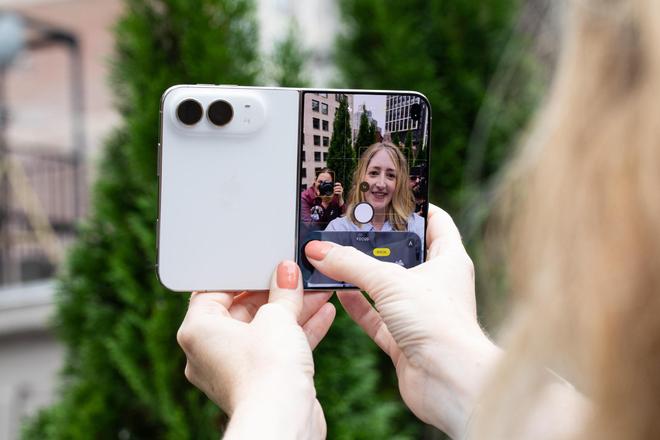
Picture: When shooting with the rear camera, the external screen can display the viewfinder screen. Image source: The Verge
When the film and television hurricane trial previewed on an external screen, the person being photographed would unconsciously stare at themselves on the screen instead of the camera next to them, and the line of sight in the finished film would deviate from the lens. They tried using the external screen as a teleprompter and encountered the same problem.
Battery life and heat generation also depend on how you use them
In Tom's Guide's battery life test, with the internal screen brightness fixed at 150 nits and connected to a 5G network to continuously browse the web, the Duo lasted 13 hours and 20 minutes; the Samsung Galaxy Z Fold8, which was retested in the same room and at the same time, lasted 10 hours and 6 minutes.
In CNET's three-hour video test, the Fold8 had slightly more battery left. Both phones turned on the internal screen to the highest brightness and connected to Wi-Fi to play YouTube videos. After three hours, the Duo's battery dropped from 100% to 84%, while the Fold8 still had 86% left.
The Future Labs laboratory data quoted by TechRadar gives the third result: Duo has a battery life of 13 hours, and Fold8 reaches 14.33 hours (about 14 hours and 20 minutes). However, in the daily use of the TechRadar review author, Duo can last for about 14 hours, and you don’t have to worry about finding a charger midway when you go out for a day.
The two reviewers of The Verge use it differently and have different battery life performance. Nilay Patel uses Duo to do work, watch videos, and check social media, and has to recharge it at least once during the day; Allison Johnson takes it on trips, and after using it with the screen on for about 6.5 hours, the battery is still 30%.
Long-term shooting will also cause the phone to heat up. The Verge found that when the camera is used for a long time, especially when the internal and external dual-screen previews are turned on at the same time, the body will become significantly hot; coupled with the Smart Take automatic capture, obvious lag will occur after a period of use. When editing pictures and playing games, the right half of the PetaPixel's fuselage feels hot when it is unfolded.
The Chinese version of Duo does not have a physical SIM card slot. The purchase page of Apple's official website reminds that when applying for eSIM, you may need to go to the operator's offline business hall to verify your identity. The specific policy needs to be confirmed with the local operator. As of October 22, Apple China’s official website still states that iPhones purchased in mainland China do not currently support Apple Intelligence.
Comments