Microsoft recently confirmed that it is completely rewriting all the traditional dialog boxes that have been used for many years in Windows 11. The goal is not only to complement the visual experience such as dark mode, but also to replace the old interface with the modern WinUI 3 framework to achieve system-level upgrades in design and performance. Currently, a large number of pop-up windows and dialog boxes in Windows 11 still rely on traditional interface components, and only some modifications such as dark mode have been attempted. This situation is expected to change significantly in the next major version update.
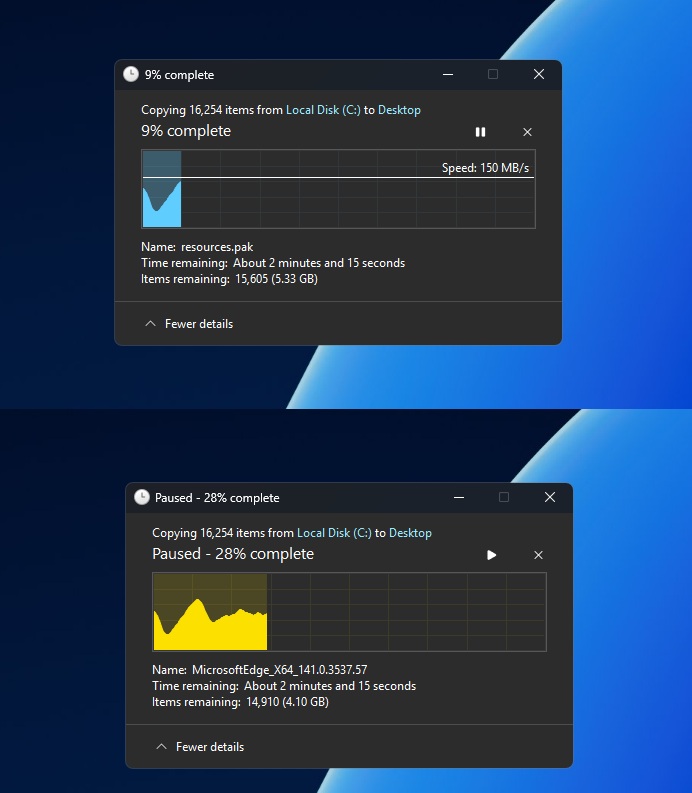
Microsoft has repeatedly emphasized that it will make "fundamental improvements" to Windows 11, including key areas such as memory management, overall performance, and design language consistency. In terms of performance, the system has gradually improved the problems of lagging and crashing through updates such as the "Low Latency Profile" and improving the reliability of explorer.exe. At the design level, Microsoft has recently introduced dark mode to some old dialog boxes, giving priority to covering pop-up windows related to file operations, such as copy, delete, cut, etc. As long as users enable the system dark mode and then perform operations such as moving files across partitions, they can directly see the new dark file transfer interface.
However, Microsoft also admitted that simply giving the old dialog box a "dark skin" cannot be regarded as true modernization. Only by completely replacing the old components of the Win32 era with a new interface written in WinUI 3 can it be in line with its long-term design plan. Take the long-established "Run (Win+R)" dialog box in Windows as an example. This component can be traced back decades ago. Now Microsoft has developed a new version of the interface for it based on WinUI and pushed testing as an optional feature. The new version of the run box is more streamlined in appearance, and also adds modern features such as history recording to explore the unified direction of future system-level dialog boxes.
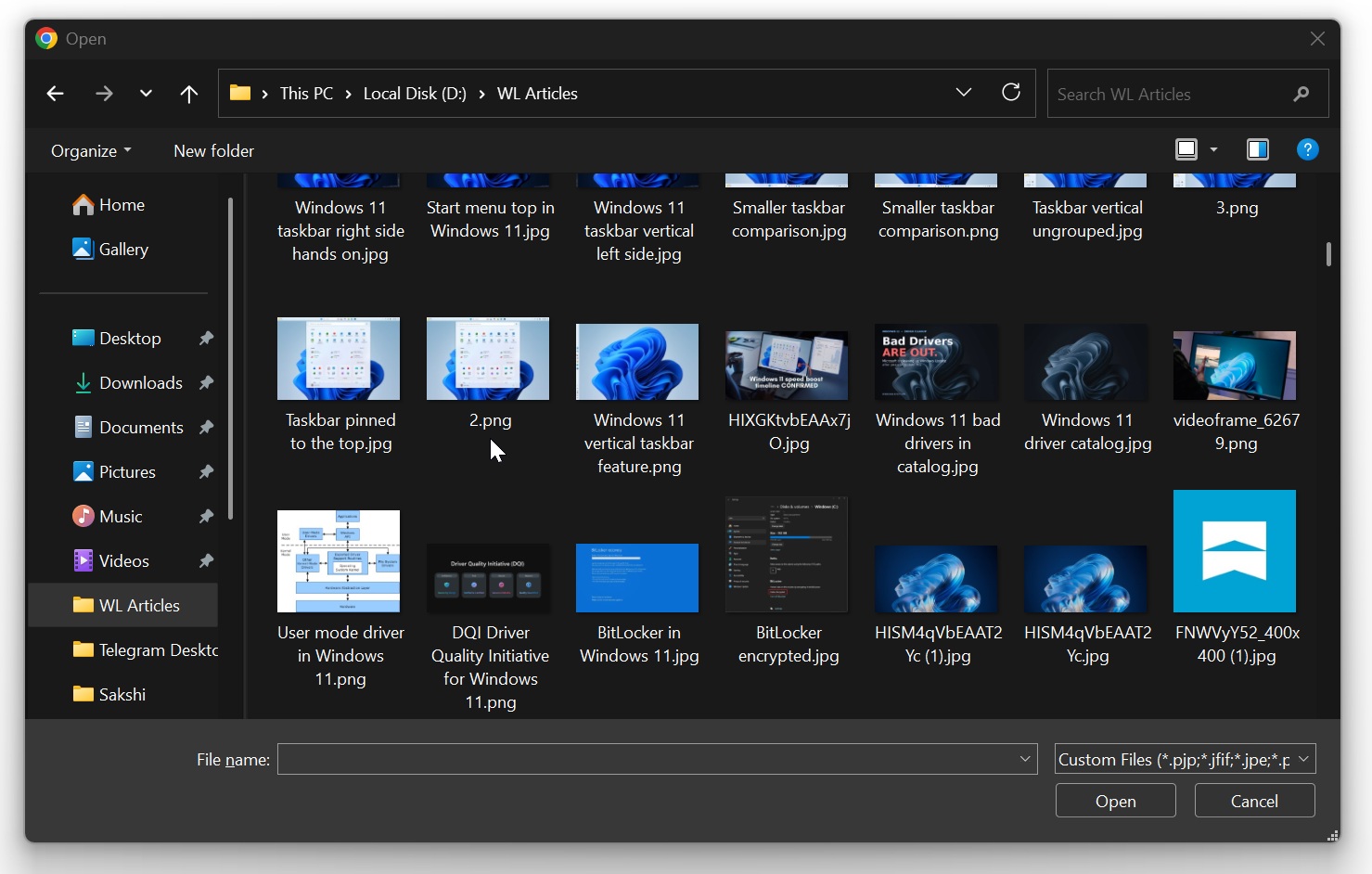
More details about this massive rewrite plan came from responses from Microsoft’s design team executives on social platforms. Some users pointed out that although the modernization of the run dialog box is a positive sign, there are still a lot of old interfaces in the system, such as the "universal file open dialog box", which is a selection window that often pops up when browsing partitions, folders, and paths within the application. The user and other netizens immediately named many members of the Microsoft Windows team and called for a complete upgrade of these key interactive interfaces.
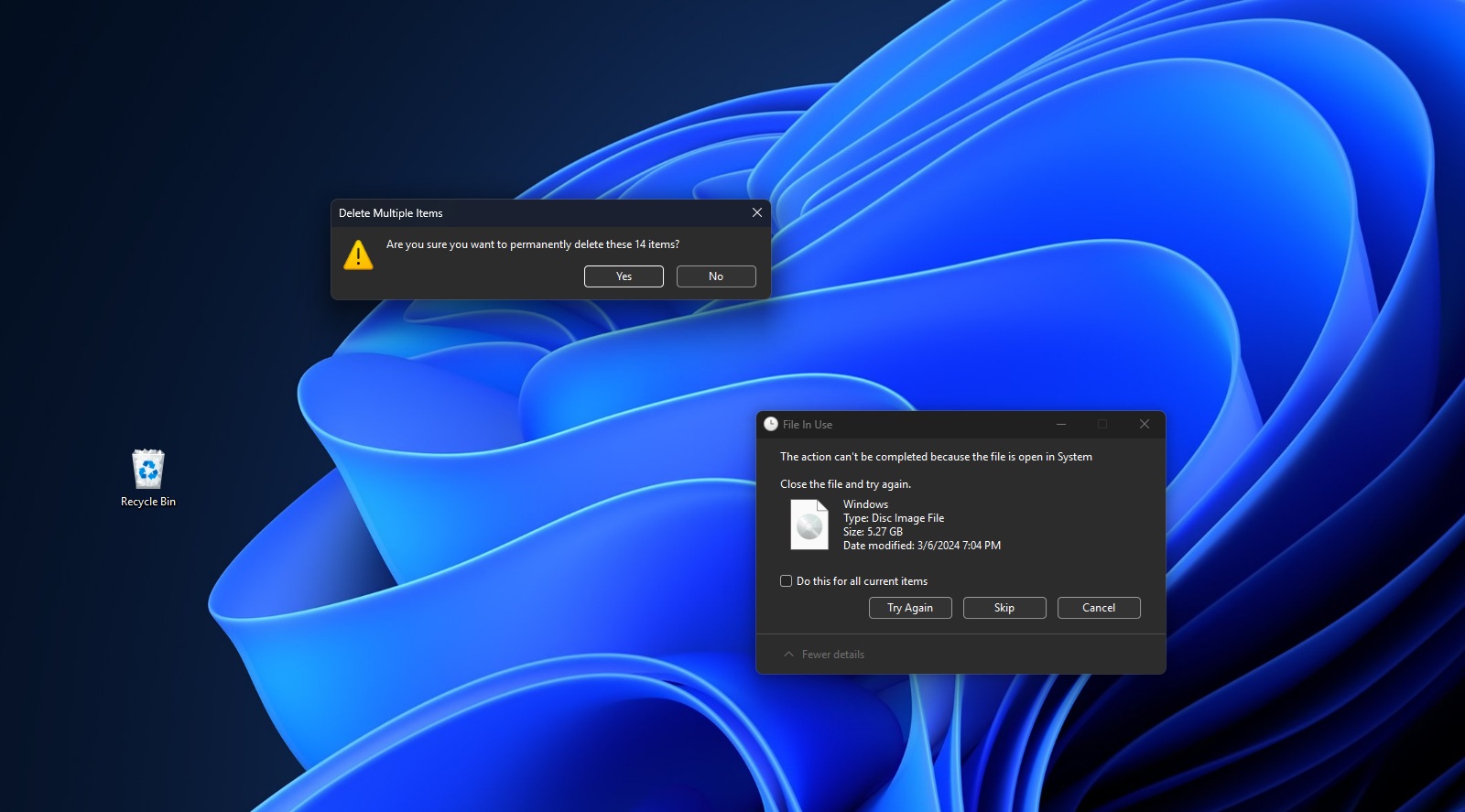
In this regard, Microsoft Design Partner Director March Rogers made it clear that the team is already sorting out the list of all old dialog boxes and re-implementing them one by one with WinUI 3. He revealed that the file copy dialog has been rewritten in the internal version, while the general file dialog is on the to-do list and will be migrated to the new framework in the future. This means that many of the core pop-up windows that Windows users come into contact with most in daily operations will gradually get rid of the interface logic and visual style left over from decades ago.
A long-term concern among the outside world is whether modern UI frameworks such as WinUI will slow down the system and weaken the performance optimization achievements that Microsoft has promoted in recent years. The intuitive feeling of many users is that modern applications tend to be "heavier" than traditional Win32 programs, and early attempts to modernize File Explorer were controversial due to lags and lags in window scaling. However, with the advancement of Windows 11 25H2 and the May 2026 update, the performance of the WinUI-based File Explorer has been significantly improved, and Microsoft has also publicly stated that WinUI has made substantial progress in performance and response speed.
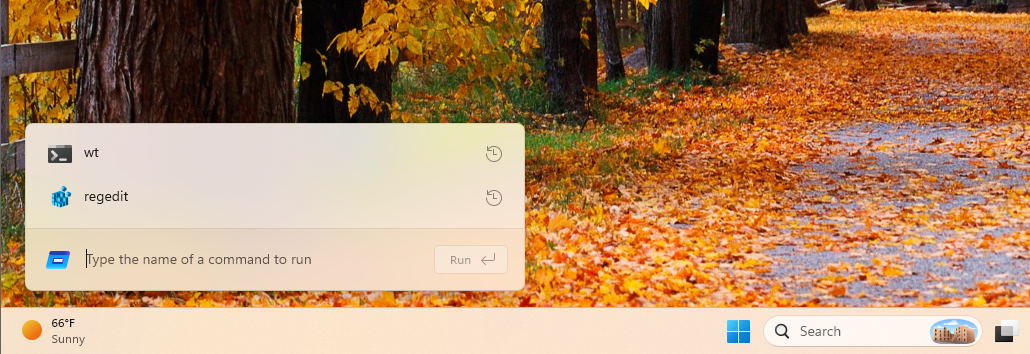
The rewrite of the run dialog is seen as a prime example of this progress. According to data released by Microsoft, the median startup time of the traditional run dialog box is about 103 milliseconds, while the new version based on WinUI can complete loading in about 94 milliseconds in the same scenario. From a numerical perspective, this gap is not huge, but at least it shows that modern UI frameworks no longer necessarily mean "slower". With reasonable implementation and optimization, it is entirely possible to match or even surpass the legacy experience. Microsoft's internal executives also said that they are continuing to polish these new interfaces with partners and developers, striving to maintain visual unity while maintaining "clean" interface response.
Faced with some users' emotional dependence on traditional interfaces, Microsoft has also sent a relatively cautious signal. Take the run dialog box as an example. The original Win32-based component still "works well", and many users have already developed the habit of using it to quickly run commands, open directories, and even clear text formats. In order to avoid interruption of usage habits due to forced replacement, Microsoft has chosen to make the new version of the run dialog box completely optional. Users need to manually turn it on in the advanced settings of the system's "Settings" application.
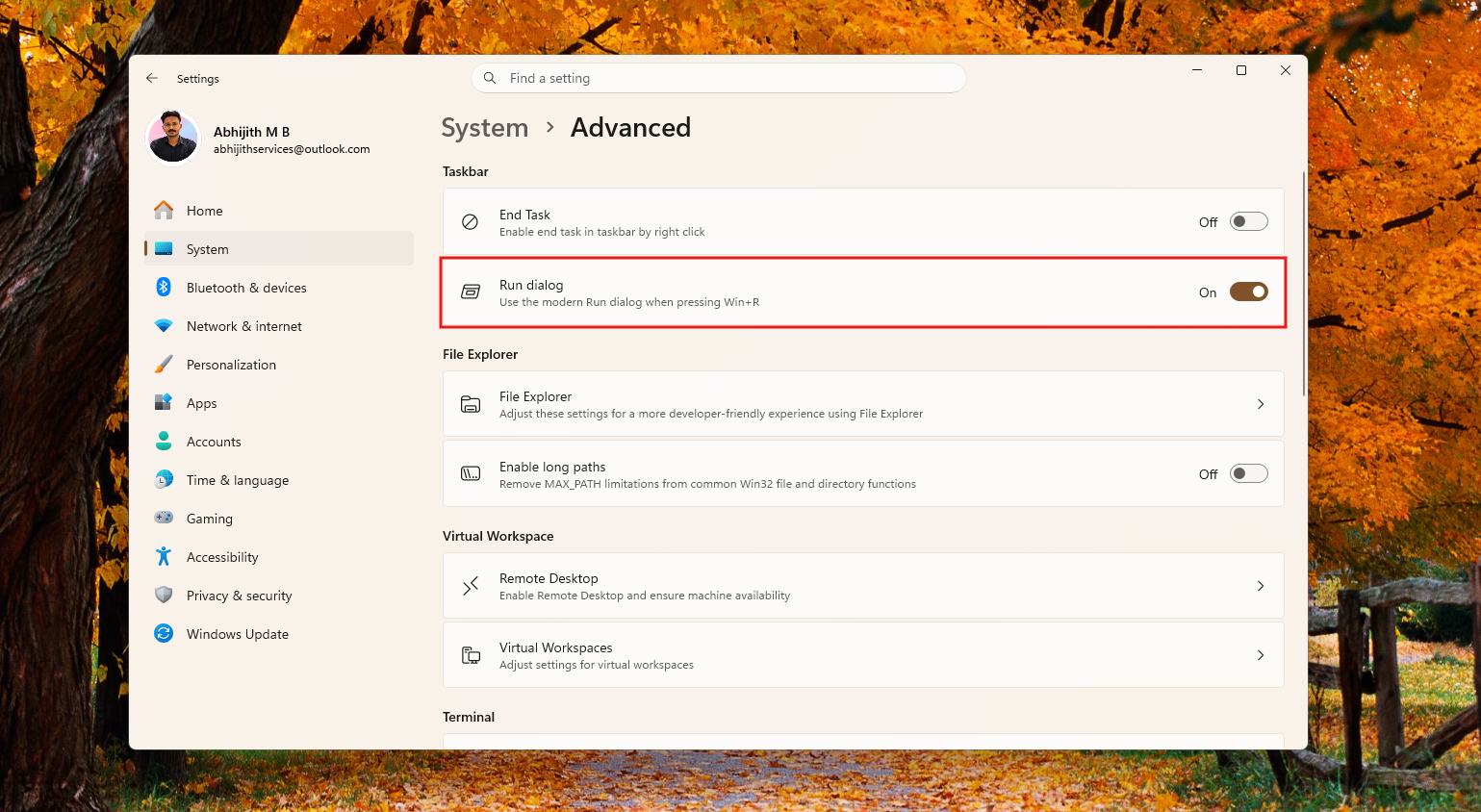
On this basis, it is reasonable to expect that other dialog boxes rewritten using WinUI may also be launched as optional functions first, and then gradually promoted as default options after collecting user feedback. For those users who prefer the old interface, this means that they can continue to use familiar interaction methods for a considerable period of time, while for users who pursue a unified visual and new functions, the new interface can be used earlier. Microsoft hopes to achieve a balance between "modernization" and "traditional experience", while reducing the risks caused by large-scale interface migration through a phased launch.
Microsoft has not disclosed the specific timetable for completing the rewrite of all dialog boxes, but considering that the file copy window has been completed internally and the universal file dialog box is being advanced, it can be judged that this work will continue for a period of time and may be intertwined with the rhythm of several future feature updates. For Windows 11, this is not only a visual renovation, but also involves the iteration and unification of the system’s underlying UI technology stack. In the Windows interface system where tradition and modernity have coexisted for many years, this round of rewriting is expected to be a key attempt to truly integrate "Shit Mountain" into a unified experience.